Online Video Creator Built for Speed: Idea to Posted Video in Minutes
A fast online video creator for high-volume posting: type a prompt, get a finished short in 2-5 minutes, and batch a week of content in one sitting.
Use Cases
TL;DR: If you post short-form daily, the bottleneck isn't ideas, it's the hours between idea and upload. Keyvello turns a one-line prompt into a finished vertical video in roughly 2-5 minutes, so you can batch a week of content in a single sitting instead of dragging one video across an evening. You get 20 free credits with no card to test it. Honest caveat up front: the free tier is preview-only, downloading the finished file requires a paid plan ($19/mo and up). Below I'll walk through the actual workflow, show a real output frame, give you exact credit math for batching, and tell you where a manual editor like CapCut still beats this.
The three steps between a prompt and a posted short
The whole point of a fast online video creator is removing decision points. Here's the literal path, start to finish.
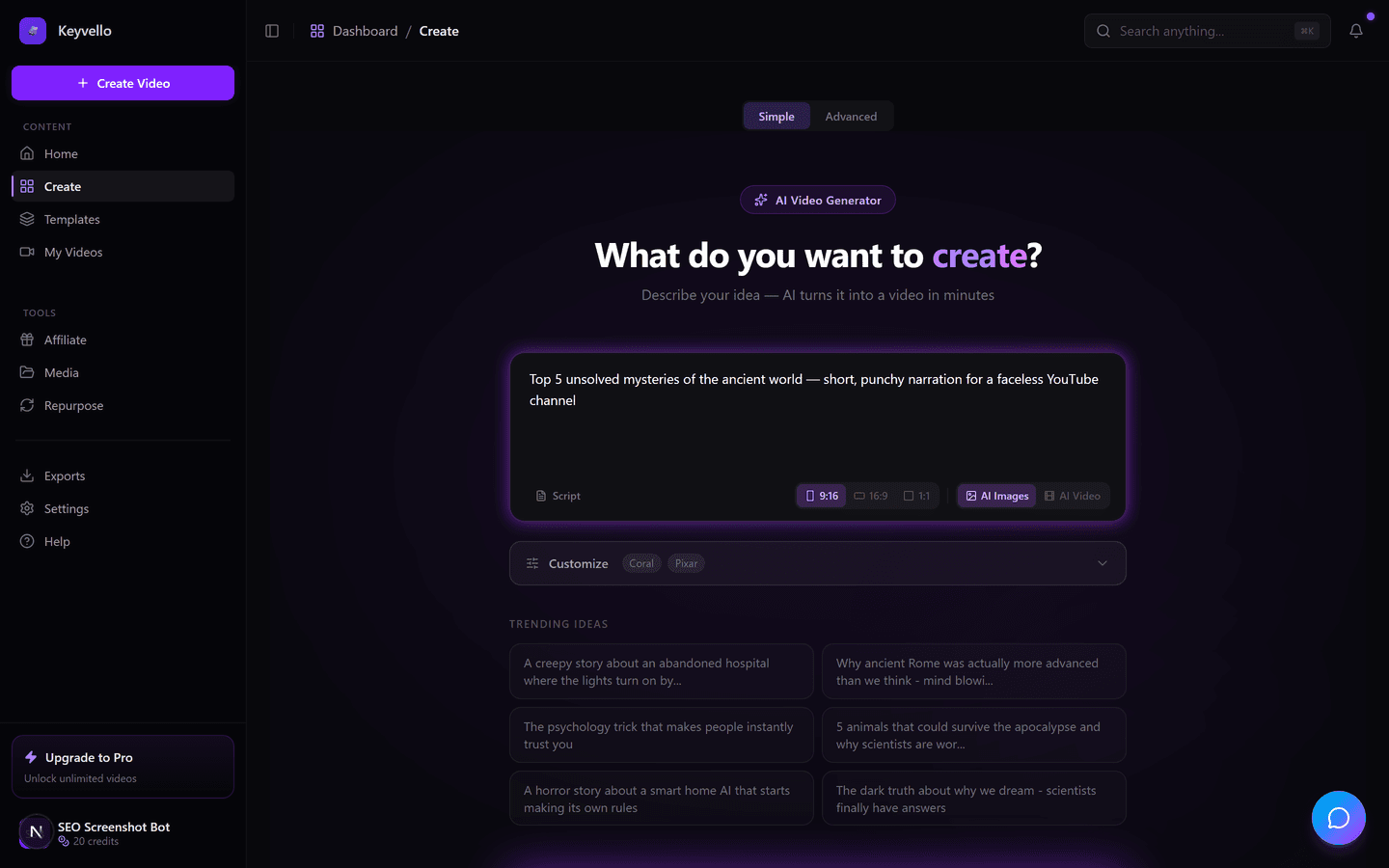
1. Describe the video (or paste a script)
You type what the video is about, pick a voice (powered by ElevenLabs), and choose an image style. That's the only required input. If you already write your own hooks, you can paste a full script instead of a prompt and skip the AI scripting step entirely, which is faster and keeps your voice consistent across a batch.
2. Pick a template that matches the format
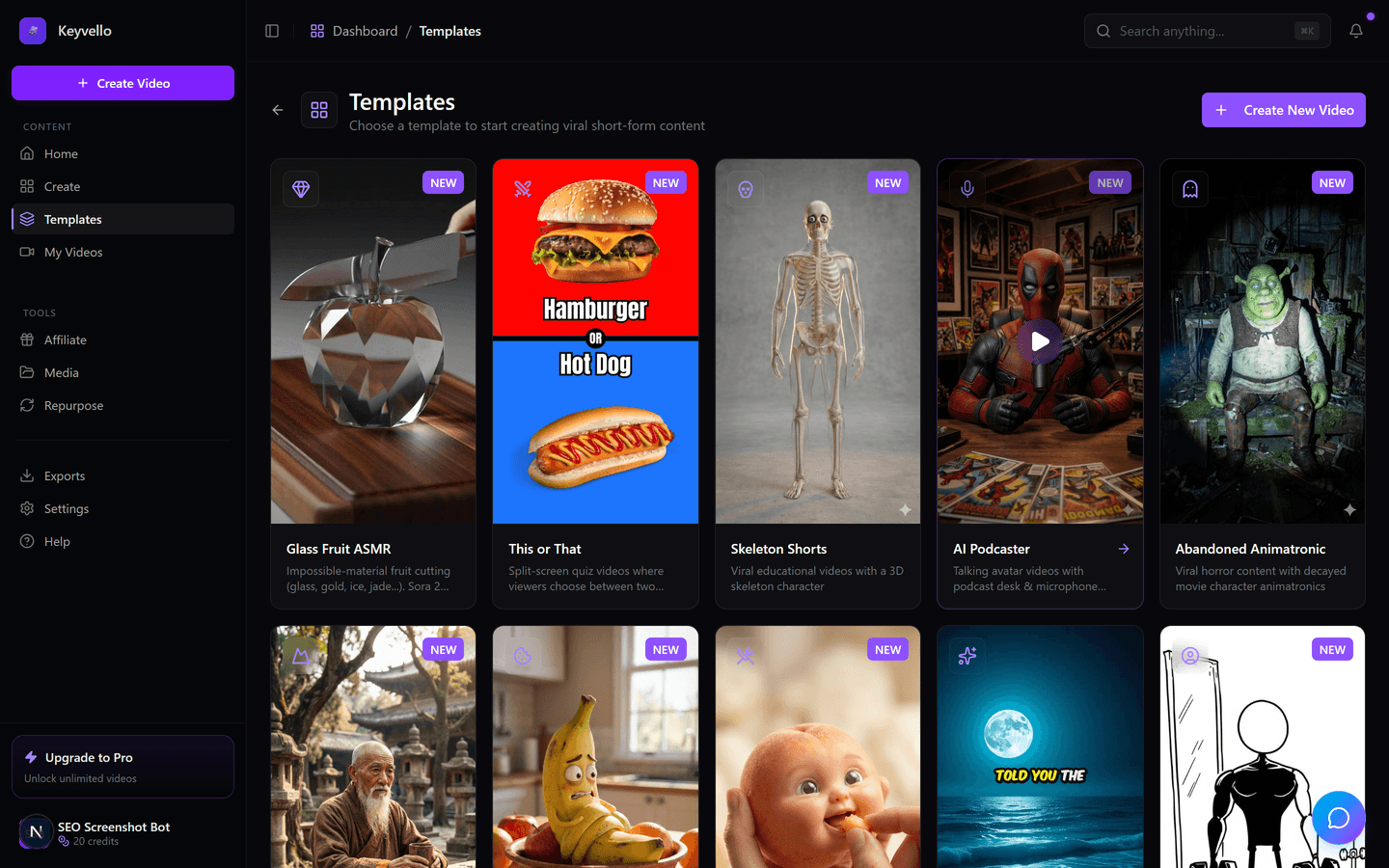
There are 11 templates, including AI Stories, and each one is a different visual recipe (image-driven story, fake-text conversation, split-screen, and so on). Choosing the template is what lets the generator skip a hundred small editing decisions, the pacing, caption style, and scene timing are baked into the template. For batching, the trick is to lock one template for a whole week's set so every video in the batch looks like it belongs to the same channel.
3. Generate, preview, then tweak only what's wrong
Generation runs in roughly 2-5 minutes. You get a full draft, scenes, voiceover, and captions, not a blank timeline. Then you fix only the parts that miss: regenerating a single image costs 1 credit, redoing the voiceover costs 3 credits. Most of your time goes into 2-3 targeted regenerations, not building from scratch.
See a real output before you trust the speed claim
Speed means nothing if the result looks like 2022 AI. Here's an actual Keyvello-generated clip so you can judge the output quality yourself. Treat it as a quality example, not a template you'll get, your niche and prompt will produce different visuals and pacing.
How to actually batch a week of content in one sitting
The speed advantage compounds when you stop making videos one at a time. Daily posting fails because each video has a cold start, opening the app, remembering your style, finding a hook. Batching kills the cold start. Here's the workflow that works for high-volume creators:
- Brain-dump 7 hooks first. Before you touch the generator, write seven one-line prompts in a notes file. Ideation and production use different parts of your brain, separating them is the single biggest time saver.
- Lock one template and one voice. Consistency reads as a "real channel" to the algorithm and to viewers. Switching templates mid-batch is the slow path.
- Queue all seven, then review as a set. Generate them back to back. While one renders you're reviewing the last, so the 2-5 minute window is never dead time.
- Regenerate, don't rebuild. Across seven videos you might do 10-15 single-image regens at 1 credit each. That's cheaper and faster than re-running a whole video.
For solo creators batching is the difference between "I'll post when I have time" and an actual daily cadence. For agencies running multiple client channels, the same loop scales, just swap the template/voice lock per client.
What a week of batching actually costs (real credit math)
This is first-party data, not an estimate. The average Keyvello video runs about 36 seconds and ~15 credits. Credit costs scale with length at base quality: a 30s video is 10 credits, 60s is 18, 90s is 25, and captions add 2. So a batch of seven 30s captioned shorts costs roughly 84 credits plus a handful of 1-credit image regens.
Two honest cost warnings. First, quality multipliers matter: pro is 1.5x and ultra is 2.5x the base cost, so an ultra batch costs more than twice a base batch. Second, true AI video (motion footage, not still AI images with motion) is dramatically pricier, around 60 credits for a 30s clip and 108 for 60s. If your speed-and-volume goal is daily posting on a budget, base-quality AI-image videos are the lane that keeps batching affordable.
How the speed compares to other tools
I researched competitor numbers live; where a vendor doesn't publish a hard figure I've marked it "check site" rather than guess. Render times in particular vary by queue load and plan tier on every platform here.
| Tool | Idea-to-draft speed | Watermark | Entry price | Best for |
|---|---|---|---|---|
| Keyvello | ~2-5 min, full draft from a prompt | None on any plan | $19/mo (free preview, no card) | High-volume faceless shorts, batching |
| Revid.ai | Minutes, but Starter/Pro can queue 20-30 min at peak; sub-3 min priority on higher tiers (check site) | Check site | $29/mo Lite (per revid.ai/pricing) | Viral-trend research + auto-posting |
| InVideo AI | Minutes per draft; capped by monthly AI-minute budget (Plus 50 min/mo) | On free plan; removed on paid | $25/mo Plus (per invideo.io/pricing) | Stock-footage edits, longer-form |
| CapCut (manual) | Hours, you build the timeline yourself | Free, but template/outro logos appear; deletable | Free tier | Precise hand-edits, full creative control |
Sources I checked: revid.ai/pricing, invideo.io/pricing, and capcut.com for the watermark/export behavior. Competitor render times shift with load, so verify the current figure on each vendor's site before deciding.
When a different tool is the right call
Speed isn't always the priority, and I'd rather you pick correctly than churn. Reach for CapCut (or DaVinci Resolve) when you need frame-level control, a specific transition, or you're cutting real footage you shot yourself, a generator can't match a careful manual edit. Choose InVideo AI if your content leans on licensed stock footage and longer-form structure rather than AI-generated scenes. Pick Revid.ai if its viral-trend database and built-in auto-posting are the features you'd actually use daily. And if you only need one polished hero video a month, any of these works, batching speed simply doesn't matter at that volume.
The volume this speed adds up to
This isn't theoretical. Creators have generated 9,000+ videos on Keyvello, including 2,400+ in the last 30 days alone, across 6,000+ creators. That last-30-days number is the real signal for a speed page: it's the throughput of people actually batching and posting, not a lifetime vanity total.
Try it free before you pay
New accounts get 20 free credits with no card, enough to generate and preview a couple of real videos and judge the 2-5 minute claim yourself. You only need a paid plan ($19/mo Starter, $39/mo Plus, $99/mo Pro) when you want to download and post. No watermark on any plan, including Starter, so the fast lane and the cheap lane are the same lane.
Frequently Asked Questions
How fast can I actually make a video?
From a one-line prompt to a full draft (scenes, voiceover, captions) takes roughly 2-5 minutes. Most of your remaining time goes into a couple of targeted regenerations rather than building anything from scratch. Generation speed can vary slightly with server load.
Can I really batch a whole week of content in one session?
Yes, and it's the recommended workflow for daily posting. Write seven one-line prompts first, lock a single template and voice, then queue all seven back to back. Because each render takes only a few minutes, you review one video while the next generates, so there's almost no dead time.
Is the free tier enough to test the speed?
New accounts get 20 free credits with no card. The average video costs about 15 credits, so you can generate and preview roughly two real videos free. Note the free tier is preview-only, downloading the finished file requires a paid plan.
What does a batch of seven shorts cost in credits?
At base quality, a 30-second captioned short is about 12 credits, so seven run roughly 84 credits plus a few 1-credit image regenerations. Pro quality is 1.5x and ultra is 2.5x. True AI-video (motion footage) is far pricier, around 60 credits for 30 seconds.
Is there a watermark if I'm on the cheapest plan?
No. There's no watermark on any plan, including the $19/mo Starter tier. The plans differ by how many credits you get, not by watermarks, so batching on a budget doesn't cost you a branded export.
Is a fast generator better than editing in CapCut myself?
It depends on your goal. For high-volume faceless posting, a generator wins on speed by a wide margin. For frame-level control, custom transitions, or cutting real footage you filmed, a manual editor like CapCut gives you precision a generator can't match. Many creators use both.
Can I keep my channel's look consistent across a batch?
Yes. Lock one template and one voice for the entire batch. The template controls pacing, caption style, and scene timing, so every video in the set reads as part of the same channel rather than a random mix of styles.
Start Creating Create Stunning Videos Fast with Keyvello AI Videos
AI-generated create stunning videos fast with keyvello ai videos in minutes. Try it free.
Get Started Free