Keyvello as an AI Video Editing Tool: What You Can Actually Edit
Keyvello is generation-first, not a timeline editor. Here is exactly what you can edit (scenes, voice, captions), the credit costs, and when to use CapCut instead.
Use Cases
TL;DR: If you searched "ai video editing tool" expecting a timeline, multi-track audio, and frame-level trimming, read this first. Keyvello is a generation-first tool, not a full editor. You describe a video, it produces a finished vertical short, and then you refine it with focused controls: regenerate a weak scene for 1 credit, redo the voiceover for 3, and restyle captions. You do not drag clips on a timeline. For genuine cut-by-cut editing, you still want CapCut or Premiere. This page is the honest version of what "editing" means inside Keyvello, and when it is the wrong tool.
Generation-first vs. editor-first: which one are you looking for?
There are two different products people mean when they type "ai video editing tool," and it is worth being clear which camp Keyvello is in.
- Editor-first tools (CapCut, Premiere, DaVinci Resolve, Descript) start from your footage. You import clips and arrange, trim, layer, and color them on a timeline. The AI helps, but you are in the driver's seat at the frame level.
- Generation-first tools (Keyvello) start from an idea. There is no footage to import. The AI writes the script, generates the images, voices the narration, and burns in captions. You then adjust the output rather than build it shot by shot.
If you have raw clips you shot yourself and want to cut them together, Keyvello is not your tool. If you want a finished faceless short from a prompt and the ability to fix what the AI got wrong, that is exactly what the controls below do.
How the generate-then-refine loop works
The editing in Keyvello happens after generation, on a per-element basis, not on a timeline.
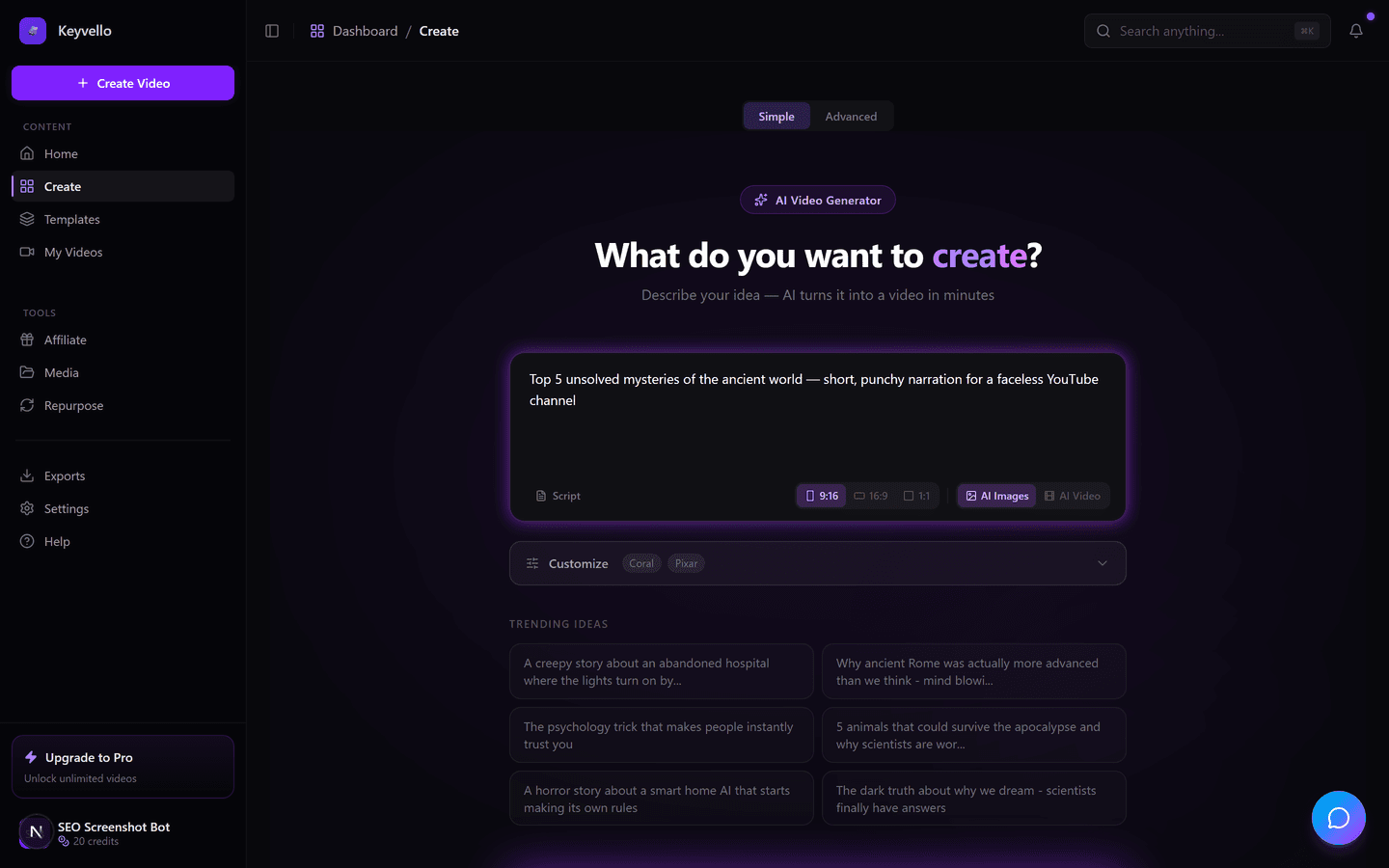
1. Describe the video or paste a script
Type a prompt like "5 facts about deep-sea creatures" or paste a full script. The model writes the narration, splits it into scenes, and queues images and voiceover in parallel. This is the only step where you start from a blank page.
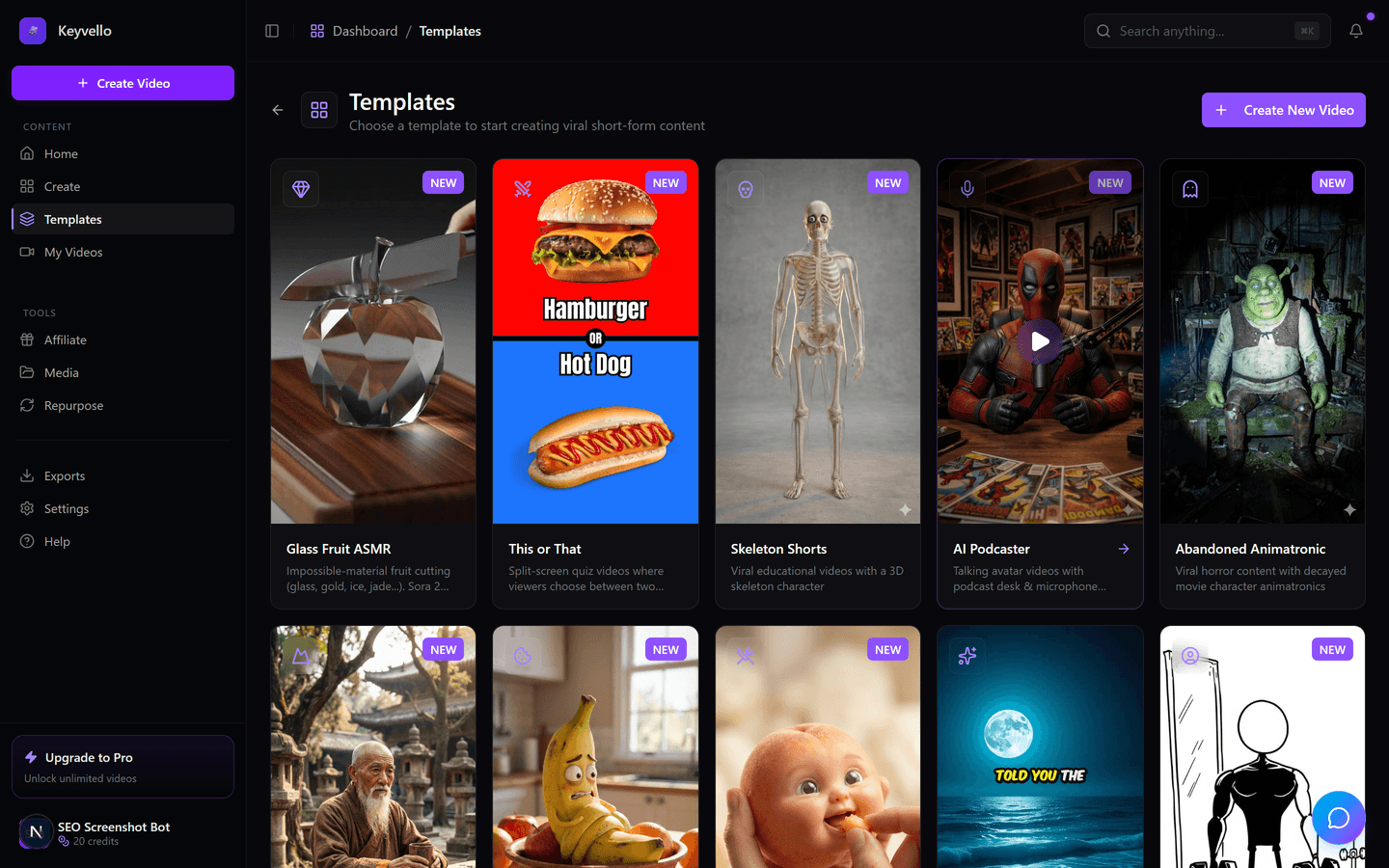
2. Pick a template for the look
The template decides the visual style, pacing, and default caption design. There are 11, including AI Stories, Fake Texts, Stick Animation, Kids Stories, and Split Screen. Choosing the right template up front saves you most of the "editing" you would otherwise do, because the style is already coherent.
3. Generate, then refine the weak spots
Generation usually takes 2 to 5 minutes. You get a 9:16 video with AI images, an ElevenLabs voiceover, and captions. Now the editing controls matter: any scene image you dislike can be regenerated, the whole voiceover can be redone in a different voice, and caption styling can be changed. You fix what is broken instead of rebuilding from scratch.
See a real output before you judge the editing
Editing controls only matter if the base output is good enough to be worth refining. This is an actual Keyvello-generated short, not a hand-polished demo reel. Treat it as an honest sample of the AI output quality, not as your exact niche. Watch it on mobile with sound on.
What you can actually edit (and what you cannot)
Being specific matters here, because vague claims are how AI tools lose trust. These are the real controls:
- Regenerate a single image — if one scene's visual is off, re-roll just that image for 1 credit. You keep everything else.
- Batch-regenerate images — refresh a group of scene images at once for 3 credits when the whole look needs a nudge.
- Redo the voiceover — swap the ElevenLabs voice or regenerate the narration audio for 3 credits.
- Restyle captions — change the caption look and re-render them for 2 credits.
- Edit the script before generating — rewrite the narration text up front so the audio and pacing match what you want.
And what you genuinely cannot do, stated plainly so you do not get surprised:
- No multi-track timeline. You cannot drag clips, ripple-trim, or nudge audio frame by frame.
- No keyframing, masking, or color grading like a real NLE offers.
- No importing your own footage to cut against the AI scenes.
If two of those three bullets are dealbreakers for your workflow, you want an editor-first tool, and the comparison below points you to the right one.
What refining actually costs
Keyvello runs on credits. The initial generation cost scales with length, captions, and quality tier; refinement is priced per action. The average video creators make is about 36 seconds and costs roughly 15 credits to generate. Base-quality generation:
| Video length | Base credits | + Captions |
|---|---|---|
| 30 seconds | 10 | 12 |
| 60 seconds | 18 | 20 |
| 90 seconds | 25 | 27 |
| 3 minutes | 40 | 42 |
| 5 minutes | 70 | 72 |
| 10 minutes | 120 | 122 |
Quality multipliers stack on top: base 1x, pro 1.5x, ultra 2.5x. AI video output (generated motion, not still AI images) costs far more — around 60 credits for 30 seconds and 108 for 60. The point for an editor mindset: refining is cheap (1–3 credits per fix), so iterating on a single video rarely costs more than generating it once.
Honest comparison: Keyvello vs. real editors
This is the comparison that matters for your search intent. Pricing and free-tier facts were checked against each tool's public pages in 2026; where a fact is fuzzy, the cell says "check site" instead of a guess.
| Tool | Type | Timeline editing? | Import your own footage? | Free output watermark? | Entry price |
|---|---|---|---|---|---|
| Keyvello | Generation-first | No (per-scene regen only) | No | No watermark on any plan (free is preview-only, no download) | $19/mo (Starter) |
| CapCut | Editor-first | Yes (multi-track) | Yes | Free exports can be clean if you avoid template outros/Pro assets (check site) | Free; Pro ~$9.99–$19.99/mo |
| Adobe Premiere Pro | Editor-first (pro NLE) | Yes (full keyframe/color) | Yes | No free tier (trial only) | $22.99/mo single app |
| Descript | Editor-first (text-based) | Yes (edit by editing text) | Yes | Yes on free; 1 watermark-free export/mo | Free; Hobbyist ~$16/mo (annual) |
| Revid.ai | Generation-first | No (template-based) | Limited (check site) | check site | $39/mo (Hobby) |
The honest read: if "editing" means a timeline, CapCut, Premiere, or Descript win outright — that is their entire job, and Keyvello does not pretend to compete there. Keyvello wins only on the narrow task of producing a finished faceless short from a prompt and tidying it up fast.
When a real editor is the better call
Use a dedicated editor, not Keyvello, when:
- You shot your own footage and need to cut it together — CapCut (free, mobile-friendly, multi-track) or Premiere Pro for anything professional.
- You need precise control — keyframes, masking, color grading, audio mixing. That is a real NLE's job.
- You edit by editing a transcript and want to remove filler words and silences automatically — Descript is purpose-built for that.
- You want a realistic talking-avatar presenter for training or corporate video — Synthesia or HeyGen do that far better than any faceless-shorts tool.
A sensible workflow is to use both: generate the base short in Keyvello, then export it (on a paid plan) and finish it in CapCut if you want to layer in your own b-roll. The tools are not mutually exclusive.
The proof this gets used
Creators have generated more than 9,000 videos on Keyvello, including over 2,400 in the last 30 days, across a community of 6,000+ creators. That is recurring usage from people shipping content who decided the generate-then-refine loop fit their workflow, not a screenshot reel.
Try the editing controls free
New accounts get 20 credits with no card. That is enough to generate and fully preview a couple of shorts and actually test the refinement controls — regenerate a scene, swap the voice, restyle the captions — before deciding. Be aware of the one honest catch: the free tier is preview-only, so downloading the finished MP4 needs a paid plan (Starter is $19/mo, and there is no watermark on any plan). If you mainly need a timeline, go grab CapCut instead.
Frequently Asked Questions
Does Keyvello have a timeline editor?
No. Keyvello is generation-first, not an NLE. There is no multi-track timeline, keyframing, or frame-level trimming. Instead of building a video shot by shot, you generate a finished short from a prompt and then refine specific elements: regenerate a scene image (1 credit), redo the voiceover (3 credits), or restyle captions (2 credits). If you need a true timeline, use CapCut or Premiere Pro.
Can I import my own footage to edit?
No. Keyvello generates its own scenes (AI images plus voiceover) from your prompt or script; you cannot import your own clips to cut against them. If your job is assembling footage you shot yourself, an editor-first tool like CapCut or Premiere is the right choice. A common workflow is to generate the base short in Keyvello, then export it on a paid plan and finish it in CapCut.
What can I actually edit after a video is generated?
Four things, each priced per action: regenerate a single scene image (1 credit), batch-regenerate a group of images (3 credits), redo or change the ElevenLabs voiceover (3 credits), and restyle and re-render captions (2 credits). You can also edit the narration script before generating. You cannot do timeline operations, color grading, or keyframing.
How much does it cost to fix a video versus regenerate it?
Refinement is deliberately cheap so iterating is affordable. A single image regen is 1 credit, a batch is 3, a voice redo is 3, and a caption re-render is 2. By contrast, generating a 30-second base-quality video from scratch is 10 credits (12 with captions). So fixing the weak parts of an existing video almost always costs less than generating a new one.
Is Keyvello free to try as an editing tool?
You can start free with 20 credits and no card, which is enough to generate and preview a couple of shorts and test the refinement controls. The honest limitation: the free tier is preview-only, so downloading the finished MP4 requires a paid plan (Starter is $19/mo). There is no watermark on any plan, so the preview is the genuine, clean output.
Should I use Keyvello or CapCut?
Use CapCut if you have footage to cut, need a multi-track timeline, or want frame-level control; it is free and built for exactly that. Use Keyvello if you want a finished faceless short generated from a prompt and only need to tweak the AI output. Many creators use both: generate in Keyvello, polish in CapCut.
Start Creating Unlock the Power of AI Video Editing with Keyvello Videos
AI-generated unlock the power of ai video editing with keyvello videos in minutes. Try it free.
Get Started Free