AI Social Media Video Maker for TikTok, Reels & Shorts
Turn one idea into a vertical video for TikTok, Reels and Shorts. Honest platform specs, real credit costs, and where Keyvello fits vs InVideo and Revid.ai.
Use Cases
TL;DR
If you manage TikTok, Instagram Reels and YouTube Shorts, the hard part isn't making one video. It's making one idea work in three places without re-cutting it from scratch each time. Keyvello generates a 9:16 vertical video from a prompt in 2-5 minutes, with ElevenLabs voiceover and burned-in captions, so the same script becomes a post you can drop on all three feeds. You get 20 free credits with no card, generate and preview free, and downloading requires a paid plan (Starter $19, Plus $39, Pro $99). There is no watermark on any plan. Below: how it works, a real sample so you can judge the output yourself, the platform-specific stuff that actually changes (length, captions, hook timing), real credit math, and an honest comparison with where other tools beat us.
From one prompt to a postable vertical
The workflow is three steps, and it's deliberately boring because boring is what scales when you're shipping daily.
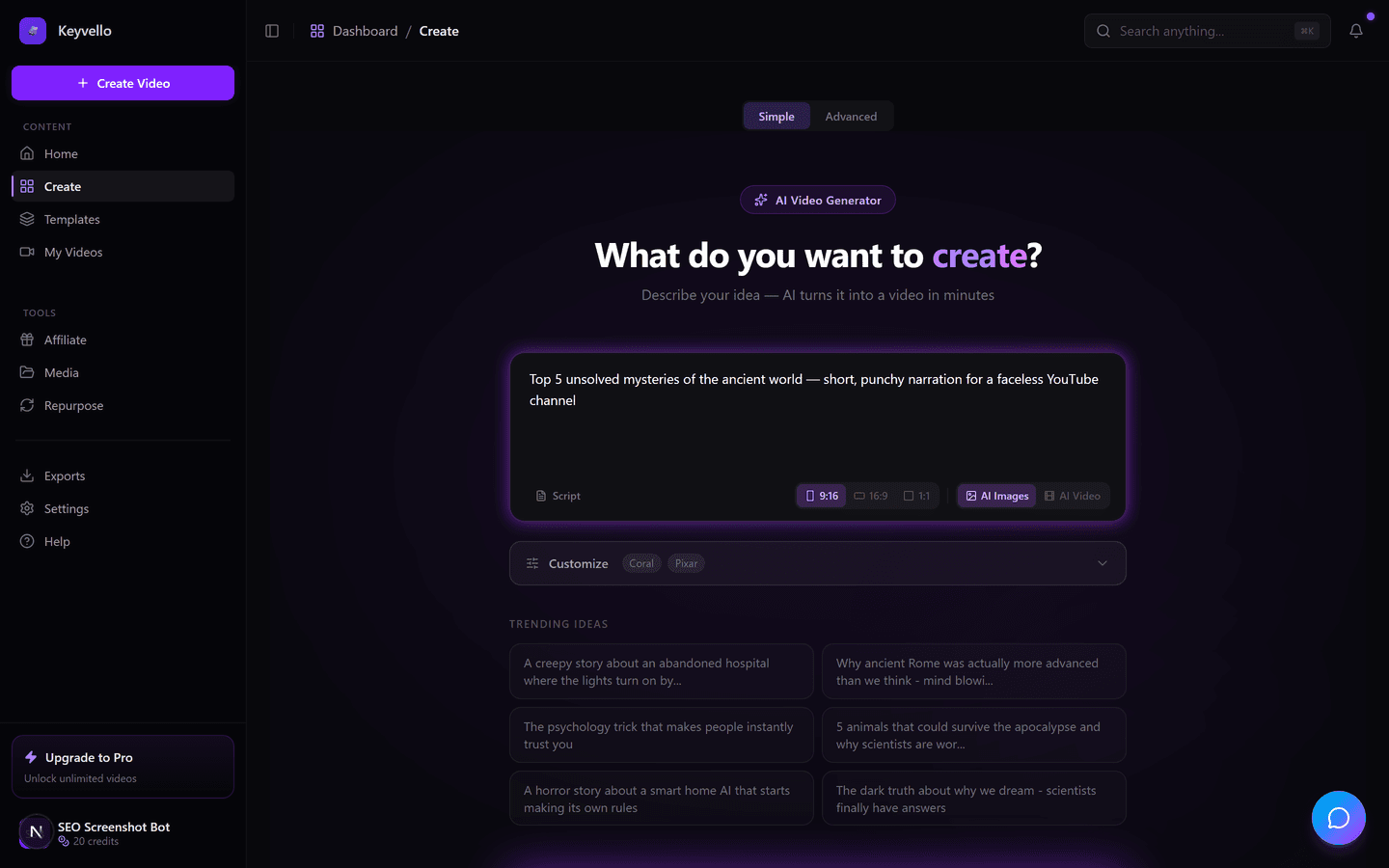
1. Describe the video (or paste a script)
Type the idea the way you'd brief a junior editor: topic, tone, who it's for. Keyvello writes the script with GPT-4o, splits it into scenes, and picks visuals. You can also paste your own script if you already know the words.
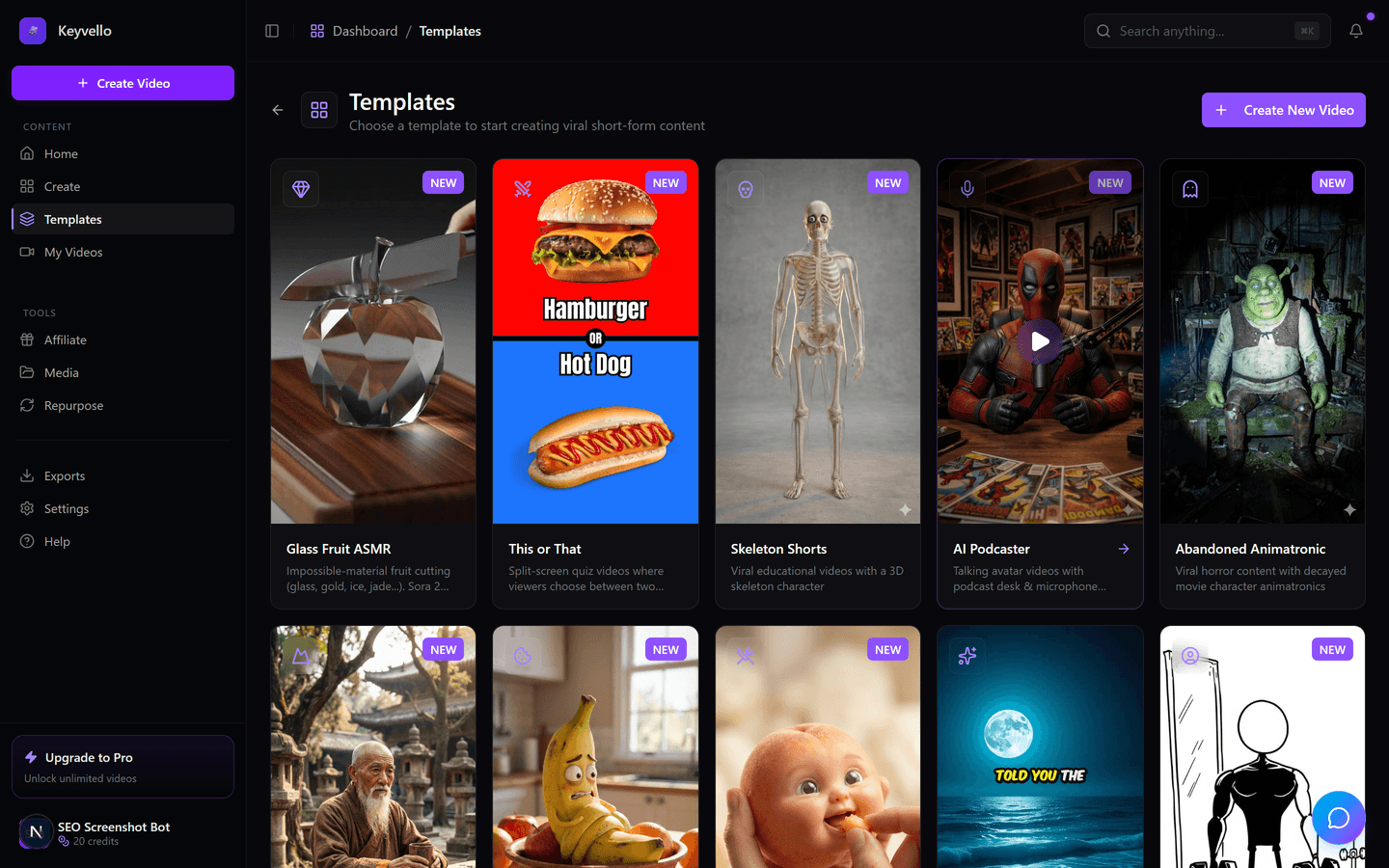
2. Pick a template that matches the format
There are 11 templates. AI Stories is the workhorse for narrated faceless content; Fake Texts and Split Screen suit the swipe-bait formats that do well on TikTok. The template decides the visual language, not just a filter.
3. Generate, preview, then download on a paid plan
Generation runs 2-5 minutes. You preview the full thing free. If it's good, downloading needs a paid plan. If a single image looks off, regenerate just that one for 1 credit; a voice redo is 3 credits. No re-running the whole job.
See a real output before you trust the pitch
Demo reels lie, so here's an actual Keyvello-generated clip. Treat it as a sample of output quality (visuals, voice, caption sync) rather than the exact niche you'd make. Watch it on your phone with the sound on, because that's how your audience will see your version.
The part that's actually platform-specific
The good news: TikTok, Reels and Shorts all want the same 9:16 frame at 1080x1920 (reezo.ai, 2026). So one vertical export technically fits everywhere. The bad news: "fits" is not the same as "optimized." Three things genuinely differ.
Length and where to cut
YouTube Shorts caps at 3 minutes, Reels caps at 3 minutes, and TikTok allows up to 10 minutes recorded and 60 minutes on upload (Sprout Social specs guide). In practice short still wins on all three. Keyvello's average generated video runs about 36 seconds, which is the sweet spot for replay-driven feeds. Make the 36-60s version first; that single export drops cleanly onto every platform. Only when a topic genuinely needs room do you stretch to a longer TikTok cut.
Captions and the safe zone
Keyvello burns captions into the frame, which matters because each app stacks its own UI on top of your video. TikTok crowds the right rail with buttons and the bottom with the caption/handle; Reels does similar; Shorts pushes the title and progress bar along the bottom. Burned-in captions positioned toward the upper-middle stay readable on all three, while platform auto-captions get hidden behind that native chrome. One safe-zone-aware export beats three hand-placed versions.
The hook window
The first second decides whether you keep the viewer on every one of these feeds, but the formats reward slightly different openers: TikTok rewards a fast pattern-break, Shorts rewards a clear payoff promise because it pulls from search and Browse, Reels sits between. Because Keyvello writes the script for you, the cheapest lever is editing the first line per platform and regenerating the opening scene's image for 1 credit rather than rebuilding the video.
What it actually costs to ship a week of content
Credits are the real currency here, so here's honest math, not marketing rounding. At base quality, a 30s video is 10 credits, 60s is 18, 90s is 25, 3min is 40, 5min is 70, and 10min is 120. Captions add 2. Quality tiers multiply the base: base 1x, pro 1.5x, ultra 2.5x. The typical ~36s clip lands around 15 credits with captions.
One important honesty flag: AI video generation (true motion footage) is far pricier than AI image-based scenes. A 30s AI-video render is roughly 60 credits and 60s roughly 108 credits versus 10 and 18 for the image-based version. For a social manager posting daily, image-based AI Stories is the format that keeps your credit burn sane; reserve AI video for the occasional hero post.
How Keyvello compares for cross-posting
Verified against each tool's live pages in May 2026. Pricing and watermark policies change often, so re-check before you buy.
| What matters for cross-posting | Keyvello | InVideo AI | Revid.ai |
|---|---|---|---|
| Free generation, no card | Yes (20 credits) | Yes, ~10 videos/mo (invideo.io) | No clear free plan listed (revid.ai, check site) |
| Watermark on exports | None, any plan | On free; removed on paid (invideo.io) | Optional toggle reported; confirm on site |
| Free download allowed | No, preview only; paid to download | Yes, but watermarked | Check site |
| Entry paid price | $19/mo Starter | ~$25/mo Plus (invideo.io) | $39/mo Growth (revid.ai) |
| 9:16 vertical for TikTok/Reels/Shorts | Yes | Yes | Yes |
When a different approach beats us
I'd rather you pick the right tool than churn. If your priority is a truly free export you can post today, InVideo AI's free plan lets you download even though it stamps a watermark and caps at 720p (invideo.io) -- Keyvello's free tier previews but won't let you download. If you need precise per-platform reframing, motion tracking, or trimming an existing clip into many cuts, a dedicated editor like CapCut or Descript gives you frame-level control Keyvello deliberately doesn't. And if you already film yourself and just want a fast caption-and-cut pass, an AI editor beats a generate-from-prompt tool. Keyvello is strongest when you're producing faceless content from ideas, not editing footage you shot.
Proof, then go make one
So far 6,000+ creators have generated 9,000+ videos with Keyvello, including 2,400+ in the last 30 days -- a sign people are actually shipping with it, not just trying it once. You can be one of them in the next five minutes: 20 free credits, no card, generate and preview a real vertical video, and only pay when you're ready to download something you're proud to post across TikTok, Reels and Shorts.
Frequently Asked Questions
Can I make one video that works on TikTok, Reels and Shorts at once?
Yes. All three platforms use the same 9:16 vertical frame at 1080x1920, so a single Keyvello export drops onto every feed. For best results, keep it under about 60 seconds and let the burned-in captions sit in the upper-middle so they stay clear of each app's on-screen buttons. If you want a platform-tuned hook, edit the first line and regenerate just the opening scene image for 1 credit.
Is Keyvello really free, and is there a watermark?
New accounts get 20 free credits with no card, and you can generate and fully preview videos free. Downloading requires a paid plan (Starter $19, Plus $39, Pro $99). There is no watermark on any plan, including paid entry-level.
How much does one social clip cost in credits?
At base quality, a 30s video is 10 credits, 60s is 18, and 90s is 25. Captions add 2. The typical ~36-second clip lands around 15 credits with captions. Pro quality multiplies by 1.5x and ultra by 2.5x.
Why is AI video so much more expensive than the image-based videos?
AI video means generated motion footage, which is far more compute-heavy. A 30s AI-video render is roughly 60 credits and 60s roughly 108, versus 10 and 18 for image-based scenes. For daily posting, image-based AI Stories keeps your credit burn manageable; save AI video for occasional hero posts.
How long does a video take to generate?
Two to five minutes from prompt to a finished, previewable video, including the GPT-4o script, scene visuals, ElevenLabs voiceover and synced captions.
What if one image or the voice comes out wrong?
You don't re-run the whole job. Regenerate a single image for 1 credit, or redo the voiceover for 3 credits. That keeps iteration cheap when you're tuning a clip before posting.
Should I use Keyvello if I film my own footage?
Probably not as your main tool. Keyvello is built to generate faceless content from ideas, not edit clips you shot. If you already film yourself, an AI editor like CapCut or Descript that captions and trims existing footage will fit your workflow better.
Start Creating Create Stunning Videos with Keyvello AI Social Media Video Maker Videos
AI-generated create stunning videos with keyvello ai social media video maker videos in minutes. Try it free.
Get Started Free