Top Free Apps for Faceless YouTube Automation (A Real Tool Stack)
An honest roundup of the free tools that actually run a faceless YouTube channel: script, video generation, thumbnails, and scheduling, with real costs.
Use Cases
TL;DR: the four jobs your stack has to cover
A faceless YouTube channel is not one app. It is a small assembly line, and four jobs have to get done every time you publish: write the script, turn it into a finished video, design a thumbnail people click, and get it uploaded on a schedule. Most "all-in-one" pitches you read are trying to sell you one box that does everything mediocrely. In practice, automators I know glue together a handful of cheap or free tools and let each one do the part it is actually good at.
Here is the short version of a stack that works: ChatGPT (free) for scripting, Keyvello for turning that script into the actual video, Canva (free) for thumbnails, and YouTube Studio's native scheduler (free) for publishing. That is it. Of those four, only the video-generation step really costs anything once you start downloading finished clips at volume, and I will be honest about that below rather than pretending it is all free forever.
The pipeline, in three concrete steps
The whole loop is short enough that you can run it in a single sitting. Here is how the video-generation piece fits, since that is the step people overthink the most.
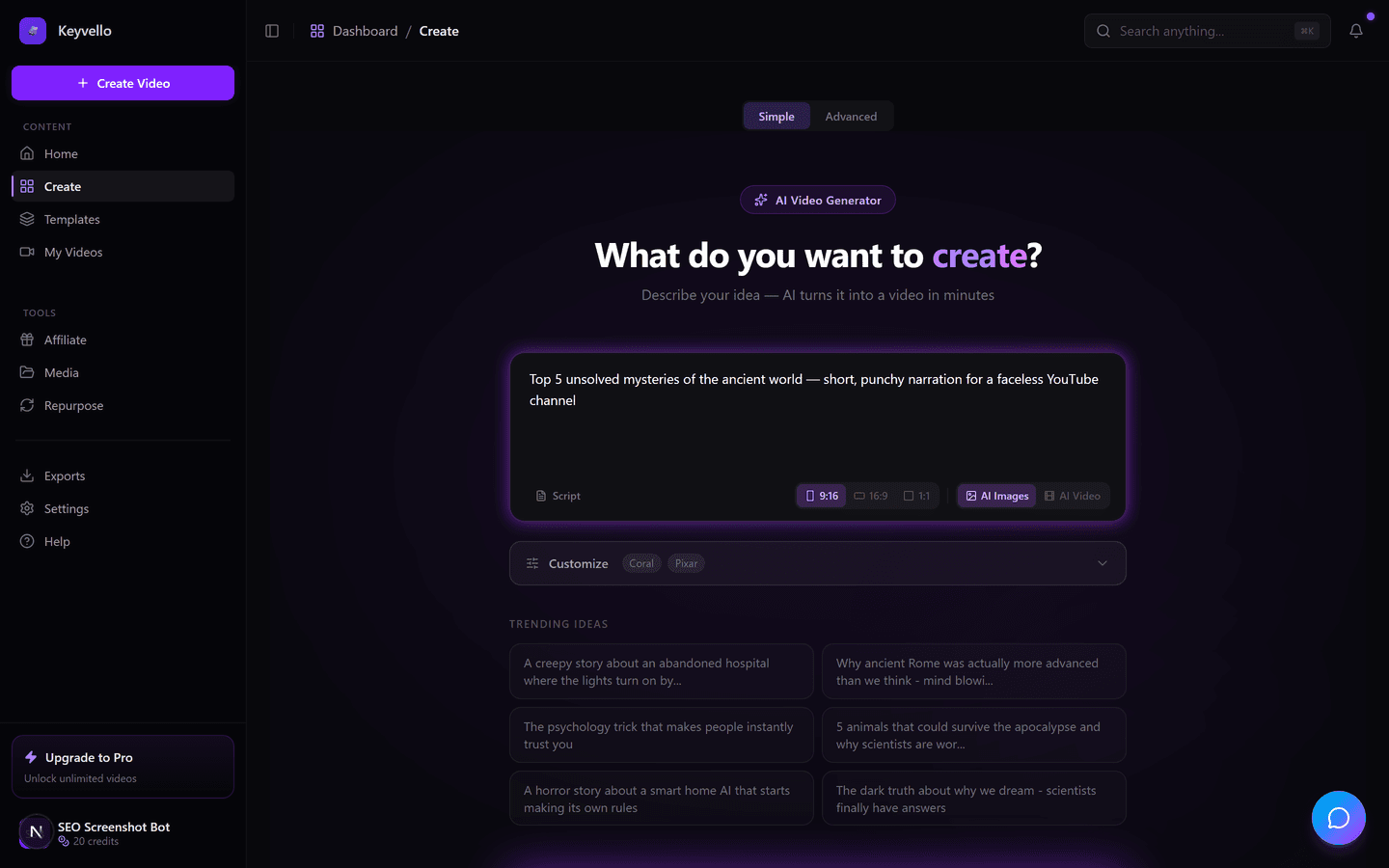
Step 1: feed it the idea
You paste a topic, a hook, or your finished script straight into the create screen. You pick a template, a voice, and a style. No timeline, no keyframes, no layers to wrestle with.
Step 2: pick the format that matches your niche
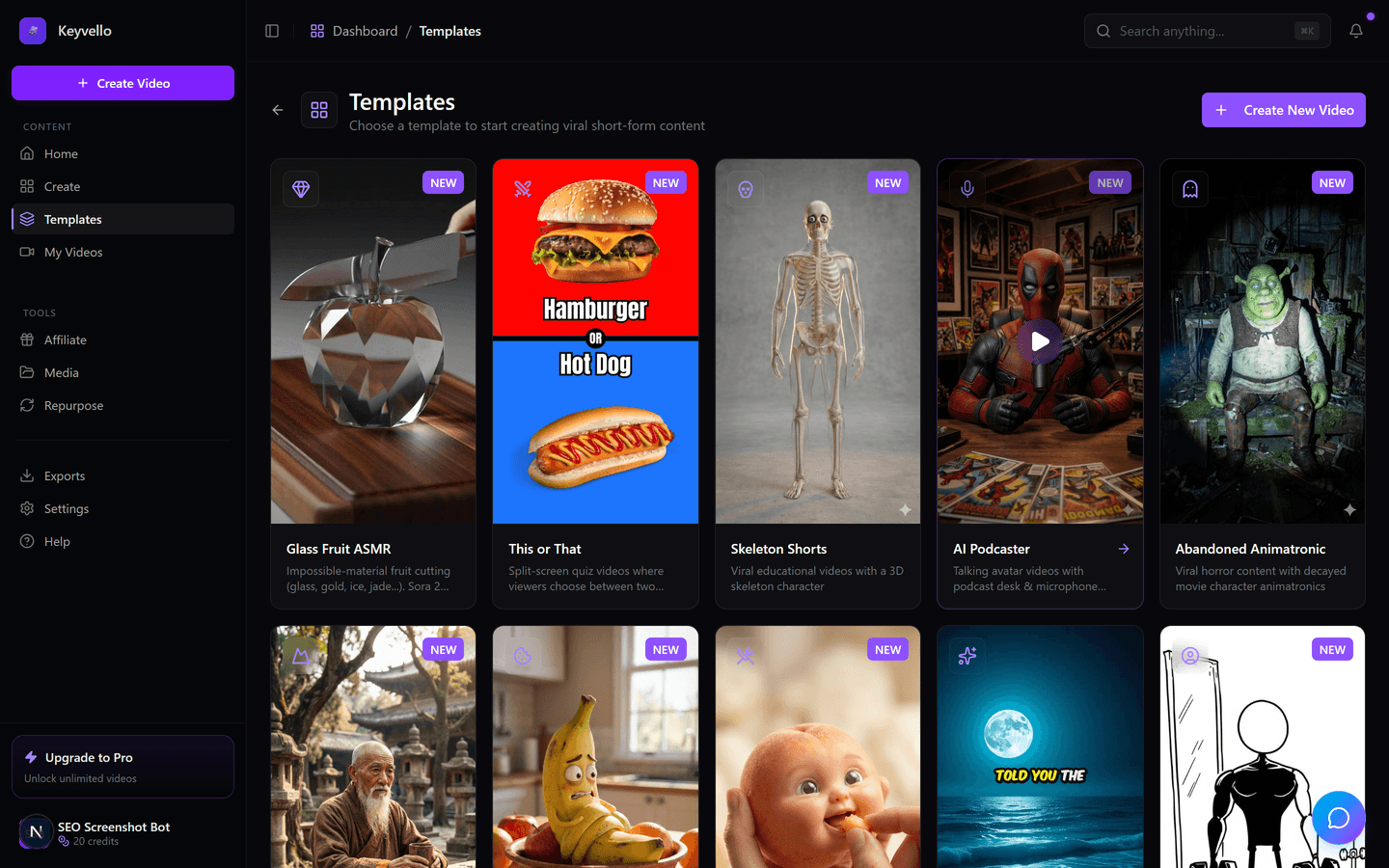
There are 11 templates, and the right one depends on what your channel does. AI Stories suits narration-driven faceless content; Fake Texts and Split Screen lean into scroll-stopping short-form. Browse them, do not just grab the first one.
Step 3: let it build, then review
Generation takes roughly 2-5 minutes. It writes (or uses your) script, generates images, voices the narration through ElevenLabs, and stitches it together. You preview, regenerate any weak image for 1 credit, redo the voice for 3 if it is off, then export. Critically: there is no watermark on any plan, including the lowest one.
See a real output before you trust any of this
Roundups love to describe quality without showing it. Here is an actual clip generated by the same engine you would use. Watch it as a quality sample for the AI imagery and voice pacing, not as proof of your exact niche, because your topic and template will look different.
If that bar clears yours, the rest of the stack is the cheap part.
How an automator should think about each slot
Scripting: lean on the free chatbot
You do not need a paid AI plan to draft faceless scripts. ChatGPT's Free tier runs the current flagship model for a capped number of messages per window before falling back to a smaller model, and as of February 2026 the US free tier shows labelled ads (chatgpt.com/pricing - check site for current limits). For batching ten scripts at once you may bump the cap, but for a few videos a day it is genuinely enough.
Video generation: the one slot worth paying for
This is where the manual work used to live, and it is the step most worth automating. It is also the only slot in this stack with a real recurring cost once you publish daily. Be deliberate about it.
Thumbnails: the free design tool nobody outgrows
Canva's Free plan covers basic thumbnails with templates and a small monthly pot of AI credits; the dedicated YouTube thumbnail templates and premium assets sit behind Pro at $12.99/mo per their site (canva.com/pricing). Most faceless channels never need Pro for thumbnails.
Scheduling: do not pay for this
YouTube Studio schedules videos natively, for free, on every account, up to 12 months out. Set visibility to Scheduled, pick a date, done. TubeBuddy and similar tools add "best time to publish" data and bulk tools, but the core scheduling job costs nothing.
A real cost data point (the part most roundups skip)
Here is first-party data instead of a vague "affordable." Across Keyvello, creators have generated 9,000+ videos, with 2,400+ in just the last 30 days, and the average video runs about 36 seconds and costs roughly 15 credits. Base-quality AI-image videos cost 10 credits for 30s, 18 for 60s, 25 for 90s, scaling to 120 for a 10-minute video; captions add 2; pro quality is 1.5x and ultra is 2.5x. The big asterisk: full AI video (motion footage, not AI stills with narration) is far pricier, around 60 credits for 30s and 108 for 60s. New accounts get 20 free credits with no card, which is enough to build and preview a couple of videos before you decide.
Honest comparison of the stack slots
| Slot | Tool I'd use | Free tier reality | When you start paying |
|---|---|---|---|
| Script | ChatGPT Free | Flagship model, capped messages/window, ad-supported in US | Plus at $20/mo for heavy batching (check site) |
| Video generation | Keyvello | 20 credits, no card; generate + preview free, no watermark | Downloads need a paid plan: Starter $19, Plus $39, Pro $99/mo |
| Thumbnails | Canva Free | Templates + ~50 AI credits/mo, basic thumbnails fine | Pro at $12.99/mo for YouTube thumbnail templates |
| Scheduling | YouTube Studio | Fully free, unlimited, up to 12 months ahead | Never (TubeBuddy from $3/mo only if you want timing data) |
One honest flag in that table: Keyvello's free tier is preview-only. You can generate and watch a finished video for free, but downloading it requires a paid plan. I list it as a trust signal, not a gotcha: you see the exact quality before any money changes hands.
When a different tool wins
This stack is not universal. If your faceless format is repurposing long videos into clips, a dedicated clipper like OpusClip or Klap fits better than a from-scratch generator. If you want true cinematic AI motion footage as the whole video, a model-first tool built around that output may serve you better, and the credit math above shows why: AI video burns through credits fast. And if you genuinely want one dashboard for scripting, voicing, scheduling, and analytics together, an all-in-one suite trades quality for convenience, which is a fair trade for some people. Pick the slot that matters most to your channel and optimize that one hard.
Why this particular stack holds up
The reason I keep recommending these four is simple: three of the slots are free or nearly so, and the paid slot has volume behind it. 6,000+ creators have run videos through the generation step, with thousands of new videos every month, which is the kind of signal you want before you commit a workflow to it. You are not betting your channel on an untested tool.
Start with the free credits
The cheapest way to test the only slot that costs money is to use the free credits. Sign up, no card needed, generate a real video, watch it at full quality, and decide for yourself whether the output clears your bar before you ever pay. The other three tools in this stack are already free, so your only real question is whether the video step is worth it for your niche.
Frequently Asked Questions
Can I run a faceless YouTube channel entirely on free tools?
Almost. Scripting (ChatGPT Free), thumbnails (Canva Free), and scheduling (YouTube Studio) are genuinely free. The video-generation step is the exception: you can generate and preview videos free with the 20 starter credits, but downloading finished videos requires a paid plan (Starter $19/mo and up). So you can build and test the whole pipeline for free, then pay only when you start publishing at volume.
How much does the video-generation step actually cost?
At base quality, a 30-second video costs 10 credits, 60s is 18, 90s is 25, scaling up to 120 for 10 minutes. Captions add 2 credits, pro quality is 1.5x, and ultra is 2.5x. The average video on the platform runs about 36 seconds at roughly 15 credits. Full AI video (motion footage, not AI stills) is far pricier, around 60 credits for 30s.
Do free or cheap plans add a watermark?
No. There is no watermark on any plan, including the lowest paid tier. The free tier limitation is on downloading, not on watermarking, so a paid video looks exactly like the preview you saw.
Is the native YouTube scheduler good enough, or do I need a paid scheduling app?
For most faceless channels the native YouTube Studio scheduler is enough. It is free on every account, supports unlimited scheduled videos up to 12 months ahead, and works for both long videos and Shorts on desktop. Paid tools like TubeBuddy (from about $3/mo, check site) mainly add best-time-to-publish data and bulk operations, which are nice-to-haves, not essentials.
Which template should a faceless automator pick?
It depends on the format. AI Stories suits narration-driven faceless content with AI imagery; Fake Texts and Split Screen are built for scroll-stopping short-form. There are 11 templates total, so browse the gallery and match the template to your niche rather than defaulting to the first one.
How long does generating one video take?
Roughly 2 to 5 minutes. In that window the tool handles the script, generates images, voices the narration through ElevenLabs, and stitches everything together. If one image is weak you can regenerate it for 1 credit, and a voice redo costs 3.
Start Creating Top Free Apps for Faceless YouTube Automation Videos
AI-generated top free apps for faceless youtube automation videos in minutes. Try it free.
Get Started Free