Free AI Video Maker in 2026: What's Actually Free
An honest 2026 guide to free AI video makers: what changed this year, which tools are genuinely free, which hide a watermark, and where Keyvello fits.
Use Cases
TL;DR: The phrase "free AI video maker" splits into three very different things in 2026. A few tools (Canva, CapCut) really do let you export at 1080p for $0, but only if you stay off premium assets. A bigger group (Runway, Pika, InVideo) is free to play with but stamps a watermark on anything you export. Keyvello sits in a third bucket: free to generate and fully preview with no watermark anywhere, but downloading the MP4 needs a paid plan. This page sorts every option into those buckets so you do not waste a weekend on a tool whose free tier was never meant to ship.
If you searched this expecting one clean answer, that is the problem. "Free" got murkier this year, not clearer. Below is what changed, an honest table sorted by the catch that actually matters, and a frank note on when a competitor is the smarter pick.
What changed about "free" this year
Two things moved the goalposts in 2026. First, the underlying video models got more expensive to run, so the old "free unlimited 720p exports" era is mostly gone. Free now means a credit allowance, a watermark, or a download lock, pick one. Second, the marketing got slipperier: a tool can truthfully say "free, no watermark" while quietly meaning only the manual editor is watermark-free and every AI-generated clip carries a stamp. Reading the asterisk is now the whole game. For creators batching short-form content, the real question is not "is there a free tier" but "can I publish what it makes." That is the lens below.
How a prompt becomes a video in three steps
To judge any free tier you need to know what you are auditioning. Here is the Keyvello flow, because "free" is only useful if the output is worth shipping.
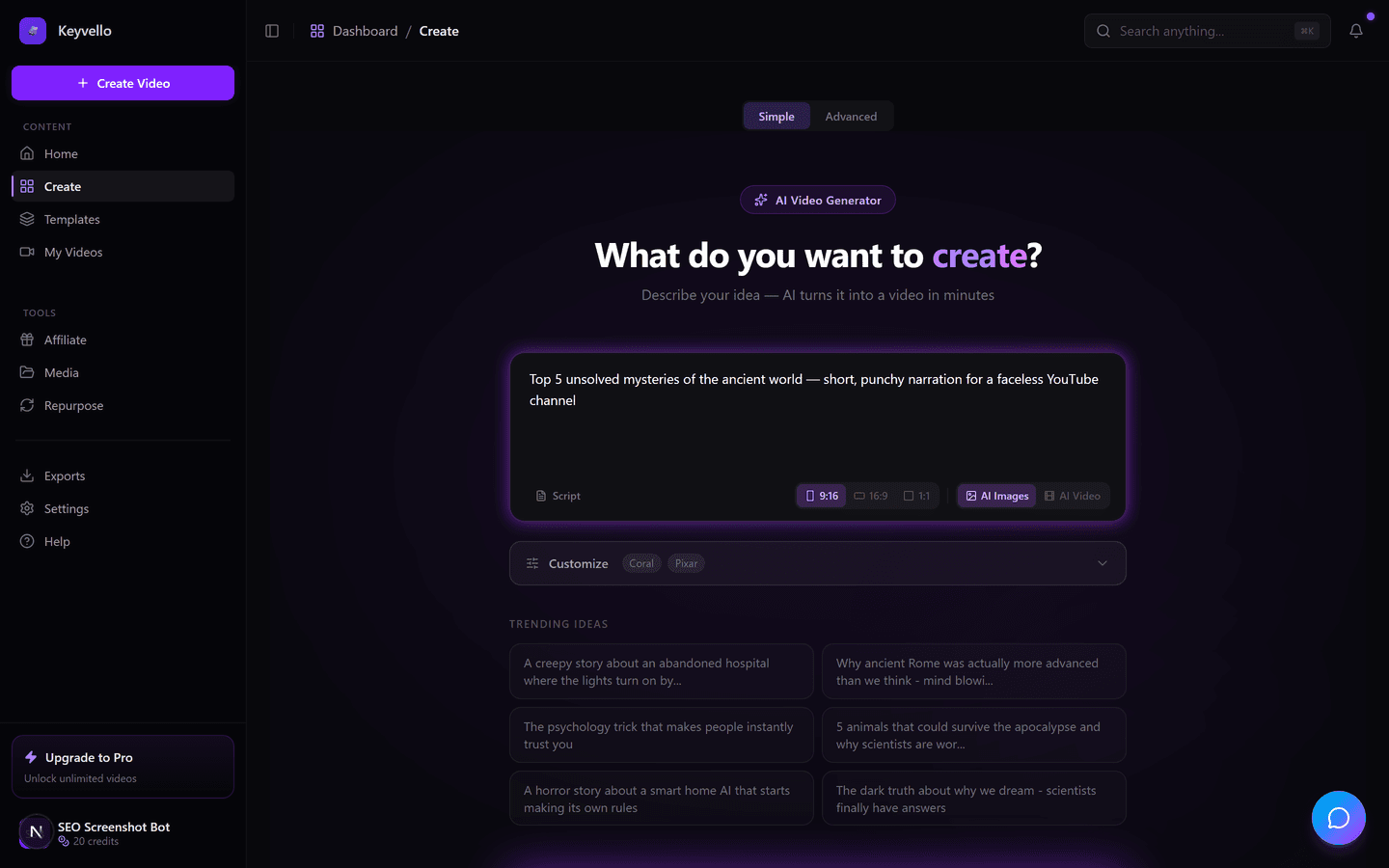
Step 1: Describe it or paste a script
Type something like "three creepy facts about the deep ocean" or paste a script you already have. The AI writes the narration, breaks it into scenes, and fires off images and voiceover at the same time so you are not waiting on a queue.
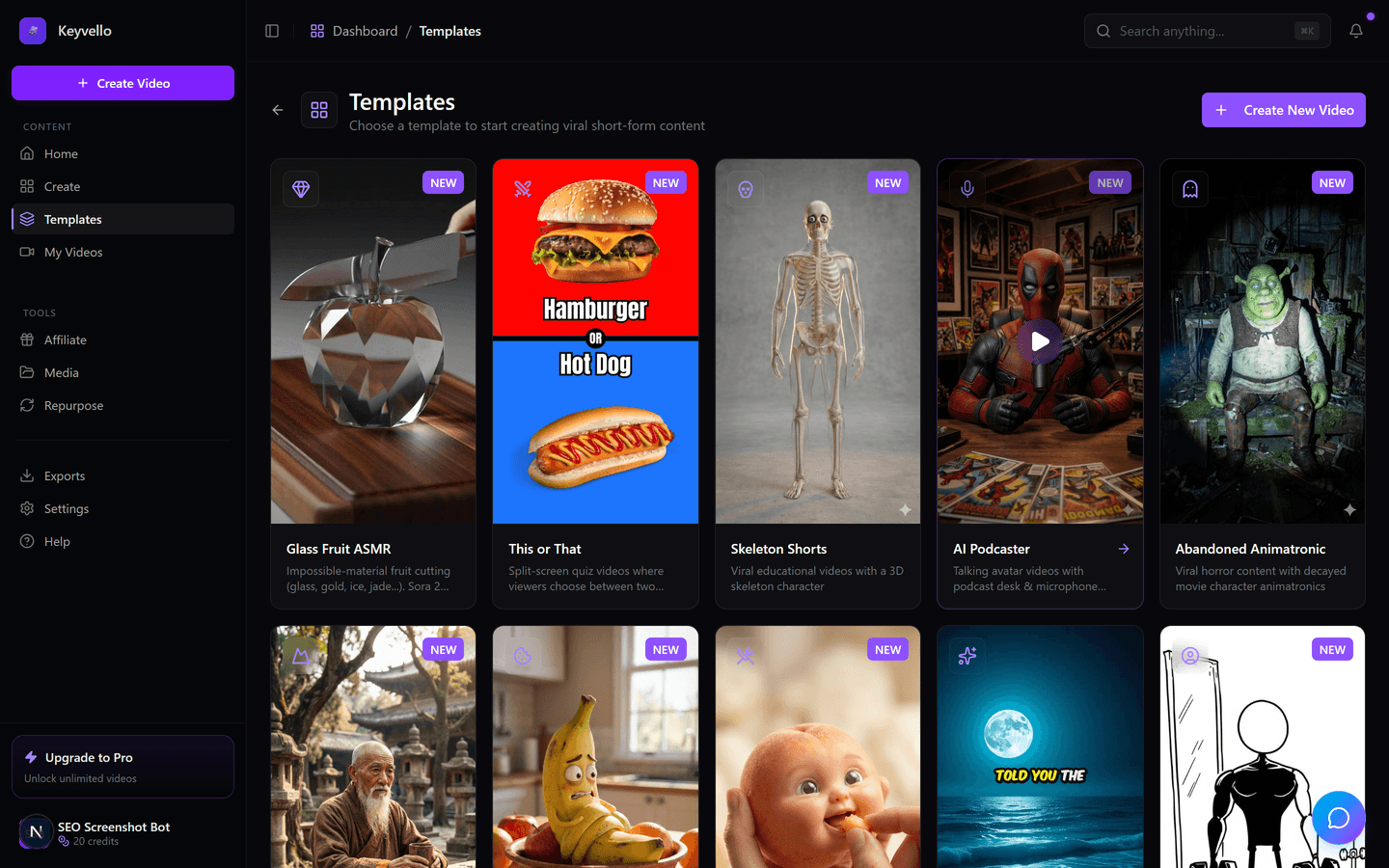
Step 2: Pick a template that matches the format
There are 11 templates tuned for faceless formats, including AI Stories, Fake Texts, Stick Animation, Kids Stories and Split Screen. The template locks the visual style, pacing and caption look, so you are not art-directing from scratch.
Step 3: Generate, then watch the full preview
Generation runs about 2 to 5 minutes and you get a 9:16 vertical video with AI images, an ElevenLabs voiceover and burned-in captions, playable in the browser. On the free tier the preview is the complete, clean output, so what you watch is what you would ship.
See a real output before you judge the free tier
This is an actual Keyvello-generated clip, framed honestly as an example of the AI output quality, not a hand-tuned showpiece and not your exact niche. Watch it on your phone with sound on.
The three kinds of "free" in 2026
Sort the field this way and the right tool gets obvious fast.
Genuinely free (export at $0, with an asterisk)
Canva and CapCut are the real free exporters. Canva's free plan exports video at standard resolution with no Canva logo, but the moment you drop in a premium element it watermarks the design until you license it (canva.com). CapCut's manual timeline exports clean at 1080p, but its free AI templates and certain premium effects carry a non-commercial stamp, and free AI clips are short (check site, capcut.com). Both are editors first, generators second, great if you want to assemble clips yourself.
Watermark-trap free (looks free, ships branded)
This is where most pure AI generators land. Runway's free plan gives 125 one-time credits and stamps every export with a Runway watermark and no commercial license; removing it needs the $15/mo Standard plan (help.runwayml.com). Pika's free tier is 80 credits/month at 480p, and even its $10 Standard plan keeps the watermark and withholds commercial rights (pika.art - check site). InVideo likewise watermarks free exports. The pattern: you can make it, you just cannot publish it clean for $0.
Preview-free (clean output, paid download)
This is Keyvello's lane, the inverse of the watermark crowd. You generate and watch the full result for free with no watermark on any plan, then pay to download. We would rather lock the export than hand you a branded file. New accounts get 20 free credits, no card required.
What a video really costs in credits
Keyvello bills by credits, scaled to length, captions and quality tier rather than a flat per-video fee. The average video our creators make is about 36 seconds and runs roughly 15 credits. Base-quality breakdown:
| Length | AI images (base) | + captions | AI video (base) |
|---|---|---|---|
| 30 seconds | 10 | 12 | ~60 |
| 60 seconds | 18 | 20 | ~108 |
| 90 seconds | 25 | 27 | - |
| 3 minutes | 40 | 42 | - |
| 5 minutes | 70 | 72 | - |
| 10 minutes | 120 | 122 | - |
Two honest notes. Quality tiers multiply the base cost: base 1x, pro 1.5x, ultra 2.5x. And true AI video (animated motion clips, not narrated AI images) is far pricier, roughly 60 credits for 30 seconds and 108 for 60, the same cost pressure pushing the whole industry toward gated free tiers. With 20 signup credits you can generate and fully preview about two base-quality 30-second shorts: enough to judge quality, not enough to run a channel for $0.
Honest comparison, sorted by the catch
Facts below were checked against each company's public pages in 2026, with citations. Where a tool's site does not state a fact plainly, the cell says "check site" instead of guessing.
| Tool | Free bucket | Watermark on free export? | Free export resolution | Cheapest no-watermark plan | Best for |
|---|---|---|---|---|---|
| Keyvello | Preview-free (no free download) | No watermark on any plan | n/a (preview only) | $19/mo (Starter) | Faceless short-form across 11 templates |
| Canva | Genuinely free | No, unless you use premium elements | Standard / 1080p | Free (avoid premium assets) | DIY editing with stock and templates |
| CapCut | Genuinely free (manual edits) | No on manual edits; yes on some AI templates | 1080p | Free for manual; ~$7.99/mo Pro | Mobile-first editing and captions |
| Runway | Watermark-trap | Yes (Runway watermark, no commercial license) | 720p (limited) | $15/mo Standard | Cinematic AI motion shots |
| Pika | Watermark-trap | Yes (kept even on $10 Standard - check site) | 480p | ~$35/mo Pro (check site) | Short stylized AI clips |
| InVideo AI | Watermark-trap | Yes (watermark on free exports) | check site | ~$28/mo Plus (check site) | Stock-footage marketing videos |
When another tool is the smarter pick
No tool wins every job. If you literally need zero spend and you are happy to assemble clips by hand, CapCut or Canva beat any preview-locked tool because they export clean for free, just keep off premium assets. If you want a single cinematic AI motion shot for a hero moment, Runway or Pika produce richer raw clips than a faceless-shorts pipeline. If your real job is a hyper-real talking-avatar presenter for training or enterprise video, Synthesia or HeyGen are built for that. Keyvello earns the pick when you want full, narrated, watermark-free faceless shorts for TikTok, YouTube Shorts and Reels, in volume, and would rather audition real quality than fight a watermark later.
Proof this is real usage, not a demo reel
Creators have generated more than 9,000 videos on Keyvello, including over 2,400 in the last 30 days, across a community of 6,000+ creators, recurring usage from people shipping content.
Start free, decide for yourself
No card needed to find out if AI video fits your channel. Make an account, take your 20 credits, generate a short on the template that matches your niche, and watch the full preview. If the quality earns it, Starter is $19/mo and unlocks the download with no watermark on anything you export, ever.
Frequently Asked Questions
What is genuinely free in 2026, no catch at all?
Canva and CapCut are the closest to no-catch free in 2026: both let you export at 1080p for $0. The catch is small but real. Canva watermarks any design that uses a premium element until you license it, and CapCut stamps some of its AI templates and premium effects even though manual timeline edits export clean. Pure AI generators like Runway, Pika and InVideo are free to try but watermark anything you export.
Why is Keyvello free to preview but not free to download?
Because the alternative most tools use is letting you export a watermarked, low-resolution file for free, which is not actually usable. We flip that: generation and full-quality preview are free with no watermark anywhere, so you audition the real output, and downloading the MP4 is the paid step (Starter is $19/mo). It is an honest trade rather than a hidden one.
Does any plan put a watermark on Keyvello videos?
No. Keyvello does not add a watermark on any plan, including the free preview. What you watch in the browser is the genuine, clean output. The free-tier limit is the download lock, not branding, so there is never a logo to strip after you pay.
How many videos can I make on the 20 free credits?
Roughly two base-quality 30-second shorts. A 30-second video costs 10 credits (12 with captions), so 20 credits covers about two. You can stretch it with shorter clips or spend it on one longer video, and regenerating a single image only costs 1 credit while you are testing. True AI motion video costs much more (around 60 credits for 30 seconds), so the free credits go furthest on the AI-image templates.
Why did free AI video get more restrictive in 2026?
The underlying generation models got more expensive to run, so the old free-unlimited era largely ended. Free now usually means one of three things: a one-time credit allowance, a watermark on exports, or a download lock. That is the same cost pressure that makes true AI motion video pricier than narrated AI-image videos.
Do I need editing skills to use a free AI video maker?
It depends which bucket you choose. Canva and CapCut are editors, so you assemble and trim clips yourself. Keyvello is prompt-to-video: you describe the clip or paste a script, pick one of 11 templates, and it writes the narration, generates the images, adds an ElevenLabs voiceover and burns in captions automatically, with no timeline to learn.
Start Creating Unlock Your Creativity with Free AI Video Maker 2026 Videos
AI-generated unlock your creativity with free ai video maker 2026 videos in minutes. Try it free.
Get Started Free