The Best Video Maker App, Honestly Compared (And When AI Beats a Manual Editor)
An honest look at the best video maker apps — CapCut, InShot, VN vs an AI generator like Keyvello. When to edit on your phone, and when AI saves you hours.
Use Cases
The short version
If "best video maker app" means you shoot footage and want to cut it on your phone, a manual mobile editor like CapCut, InShot, or VN is usually the right answer — and several are free. If it means "I have no footage and need a finished video from an idea", that is a different job, and that is where an AI generator like Keyvello fits. This page treats both honestly so you pick the one that matches what you are actually trying to do, not the one with the loudest ad.
One thing to be upfront about: Keyvello is web-based, not a native mobile app. It runs in your phone or laptop browser. There is no App Store download. If a true offline phone app is non-negotiable for you, skip to the comparison table — a manual editor will serve you better.
If you want AI to make the video, here is the whole flow
The reason people reach for an AI maker instead of a timeline editor is that there is nothing to drag. You describe what you want and a finished vertical video comes back in about 2 to 5 minutes — script, voice, images, and captions assembled for you.
1. Describe the video
You type the topic or paste a script. You pick a voice (powered by ElevenLabs), a visual style, and a length. That is the entire input.
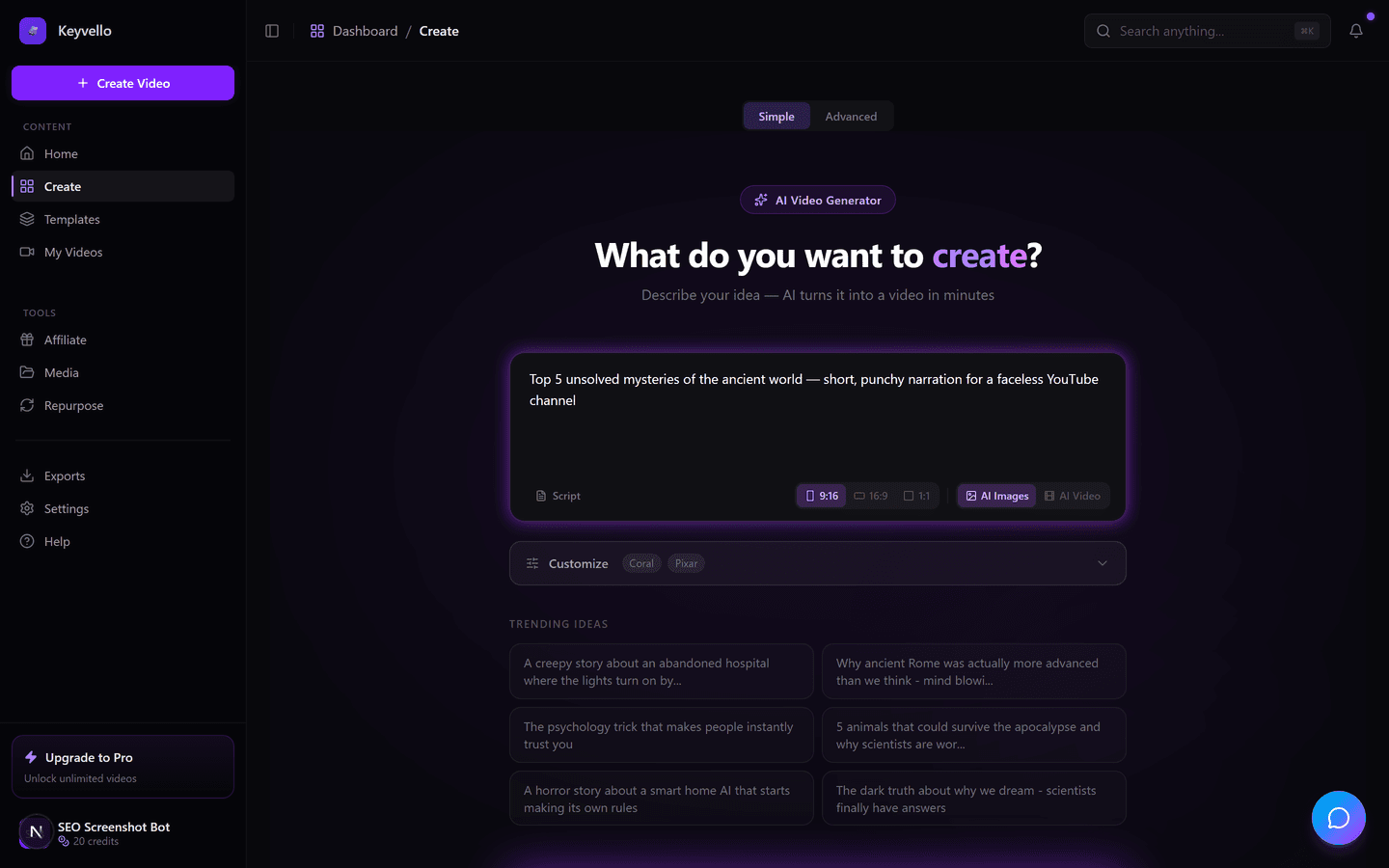
2. Pick a template
There are 11 templates — AI Stories, fake-text conversations, kids' stories, split-screen, talking-avatar wisdom, and more — so the output matches the format your niche expects instead of one generic look.
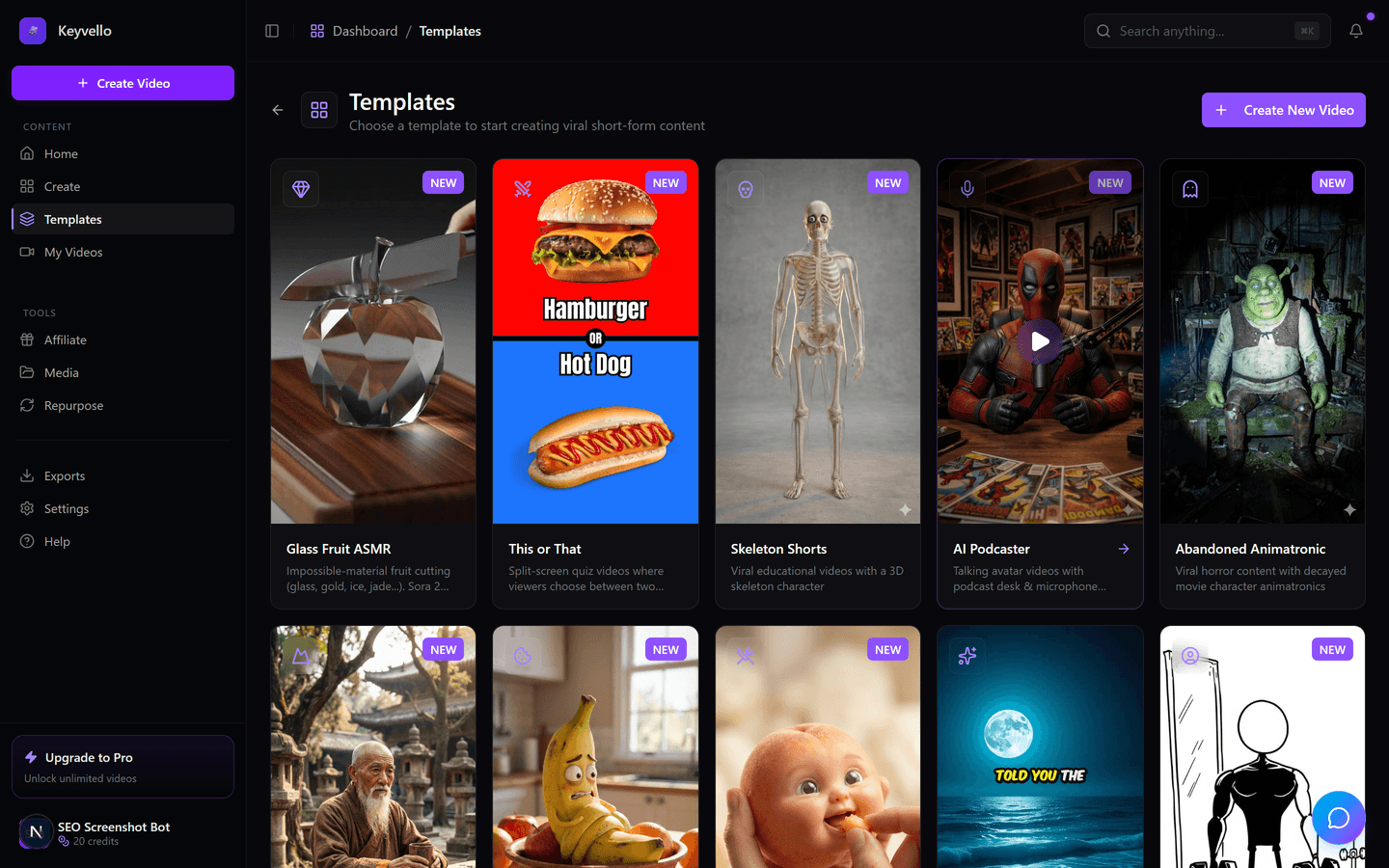
3. Generate, preview, then refine
The video renders, you preview it in the browser, and you fix individual pieces cheaply — regenerate one image for 1 credit, redo the voice for 3 — instead of re-rendering the whole thing. No watermark is added on any plan, including while you are still testing.
Watch what the AI output actually looks like
Talk is cheap, so here is a real clip Keyvello produced. Treat it as an example of the output quality and motion — not as proof it makes this exact niche. Your topic and style will look different.
How to tell which kind of tool you actually need
The "best app" question splits cleanly by what you bring to the table.
You already filmed something
You shot a clip on your phone and want to trim it, add captions, cut to the beat, layer B-roll, or color-grade. Use a manual editor. AI generation cannot improve footage you already have — it makes new footage from a prompt. CapCut, InShot, and VN all do trimming, multi-track timelines, and captioning on-device, and VN exports with no watermark on its free tier (vlognow.me).
You have an idea but no footage
You want a faceless explainer, a story video, a listicle, or a daily Short and you have nothing to film. This is the case where an AI maker earns its keep — it writes the script, voices it, generates the visuals, and burns in captions. A manual editor would mean sourcing every clip yourself first.
You want volume without a studio
If you are posting daily across TikTok, Shorts, and Reels, the bottleneck is footage, not editing skill. AI generation lets you turn out several videos a day from prompts. The honest tradeoff: AI visuals have a recognizable look, so for a personal brand where your face matters, film it and edit it instead.
What it actually costs to make a video
Keyvello runs on credits, and the price scales with length and what you ask for. AI-image videos (the common case) are far cheaper than full AI-video generation, so it helps to see real numbers rather than a vague "affordable."
| Length | AI-image video (base) | + Captions | Full AI-video (base) |
|---|---|---|---|
| 30 sec | 10 credits | 12 | ~60 credits |
| 60 sec | 18 credits | 20 | ~108 credits |
| 90 sec | 25 credits | 27 | — |
| 3 min | 40 credits | 42 | — |
| 5 min | 70 credits | 72 | — |
| 10 min | 120 credits | 122 | — |
Quality tiers multiply that: base 1x, pro 1.5x, ultra 2.5x. A typical video on Keyvello runs about 36 seconds and roughly 15 credits. New accounts get 20 free credits with no card, which is enough to make and preview a couple of videos before you decide.
Honest comparison: manual mobile editors vs an AI generator
Competitor facts below were checked in May 2026; mark "check site" means verify current pricing yourself, since these apps change prices and watermark rules by region and platform.
| App | Type | Platform | Free tier | Paid (approx) | Best for |
|---|---|---|---|---|---|
| Keyvello | AI generator | Web (mobile + desktop browser) | 20 credits, preview only — download needs a paid plan | $19 / $39 / $99 per mo | Finished videos from a prompt; faceless content at volume |
| CapCut | Manual editor (+ AI tools) | iOS, Android, web, desktop | Yes; free tier has a watermark per costbench.com (check site — varies by region/plan) | ~$9.99/mo Pro, regionally $7.99–$19.99 (check site) | On-device editing of footage you shot |
| InShot | Manual editor | iOS, Android | Yes, but exports carry a watermark and ads | Pro subscription / lifetime (~$64 reported; check site) | Quick trims and captions on a phone |
| VN (VlogNow) | Manual editor | iOS, Android, Mac (no native Windows) | Yes — exports with no watermark (vlognow.me) | Free; some AI features (e.g. auto-captions) gated | Free, watermark-free multi-track editing |
The honest read: for editing your own footage on a phone, VN is hard to beat on price because it is genuinely free and watermark-free, and CapCut wins on depth of features and AI tools. Keyvello does not compete in that lane at all — it competes for the moment when you have no footage and need a video to exist.
When you should pick a manual editor instead
Be skeptical of any "best app" page that never tells you to use a competitor. Here is when you should:
- You filmed real footage. Edit it in CapCut or VN. AI generation has nothing to add to existing clips.
- You need a true offline phone app. Keyvello is browser-based; InShot or VN work on-device without a connection.
- Your face and personal brand are the point. AI visuals read as AI. Film it and edit it.
- You want zero cost and watermark-free downloads today. VN exports free with no watermark; Keyvello requires a paid plan to download (be aware of this — the free tier is preview-only on purpose, so you can judge quality before you pay).
The proof, in real numbers
This is not a brand-new demo hoping for traction. Creators have generated 9,000+ videos on Keyvello, made by 6,000+ creators, with 2,400+ videos in just the last 30 days. That steady recent usage is the signal that matters — people keep coming back to make more, not just trying it once.
Try it before you commit
If your job is editing footage on your phone, install VN or CapCut — they are great at it. If your job is getting a finished video out of an idea with nothing to film, spend your 20 free credits on Keyvello (no card needed), generate one, and watch the preview. You will know within a couple of minutes whether the AI route fits how you work.
Frequently Asked Questions
Is Keyvello a mobile app I download from the App Store?
No. Keyvello is web-based and runs in your phone or laptop browser — there is no native iOS or Android app to download. If you specifically need an offline mobile app, a manual editor like InShot or VN is the better fit. If you are fine working in a browser, Keyvello works on mobile and desktop alike.
What is the best free video maker app with no watermark?
For editing footage you filmed, VN (VlogNow) is the standout because it exports free with no watermark on iOS, Android, and Mac (vlognow.me). CapCut and InShot are free too but have historically watermarked free exports — check their current terms. Keyvello adds no watermark on any plan, but its free tier is preview-only; downloading requires a paid plan.
Should I use an AI video maker or a manual editor like CapCut?
It depends on whether you have footage. If you already shot clips, use CapCut, InShot, or VN — AI generation can't improve existing footage. If you have an idea but nothing filmed, an AI maker like Keyvello writes, voices, and assembles the whole video for you in 2–5 minutes.
How much does it cost to make a video on Keyvello?
It runs on credits. An AI-image video is 10 credits for 30 seconds, 18 for 60 seconds, up to 120 for 10 minutes; captions add 2. Full AI-video generation is pricier (around 60 credits for 30s, 108 for 60s). Quality tiers multiply cost (base 1x, pro 1.5x, ultra 2.5x). A typical ~36-second video is about 15 credits.
Can I really make a video for free?
You can generate and preview videos for free with the 20 credits new accounts get, no card required. Downloading the finished file requires a paid plan (Starter $19, Plus $39, or Pro $99 per month). The free tier is deliberately preview-only so you can judge the quality before paying anything.
What if the AI output isn't quite right?
You can fix individual pieces cheaply rather than re-rendering everything. Regenerating a single image costs 1 credit and redoing the voice costs 3. That makes iterating to a good result far cheaper than starting over.
Will AI-generated videos look obviously AI-made?
Start Creating Discover the Best Video Maker App: Keyvello AI Video Generator Videos
AI-generated discover the best video maker app: keyvello ai video generator videos in minutes. Try it free.
Get Started Free