The Best Online Video Creator Depends on What You're Making
Comparing browser-based video creators? Here's an honest table of online tools, what each one wins at, and where Keyvello fits for faceless short-form.
Use Cases
TL;DR: There is no single "best video creator online" — there are a handful of good ones that win at different jobs. If you are editing footage you already shot, Clipchamp or VEED are likely your answer. If you want an AI to generate a finished faceless short from a sentence, that is what Keyvello does. This page lays out who each browser tool is actually for, an honest comparison table with live-checked facts, and a clear callout of when a competitor beats us. Keyvello gives new accounts 20 credits with no card; you can generate and preview free, though downloading the file needs a paid plan.
Most "best online video creator" lists rank everything on one axis, which is useless because an AI script-to-video generator and a timeline editor are not really competing for the same job. So this is segmented by what you are trying to make. First, the three-step version of how Keyvello works, so you know exactly what kind of tool you are evaluating.
How Keyvello makes a video from one tab
Keyvello is a generator, not an editor. You do not drag clips onto a timeline; you describe a video and the AI builds it. Three steps, all in the browser, all rendered on our servers.
1. Describe it or paste a script
Type a prompt like "5 unsettling facts about the ocean" or paste a script you already wrote. The AI writes the narration, splits it into scenes, and fires off the images and the voiceover in parallel.

2. Pick the template that matches your niche
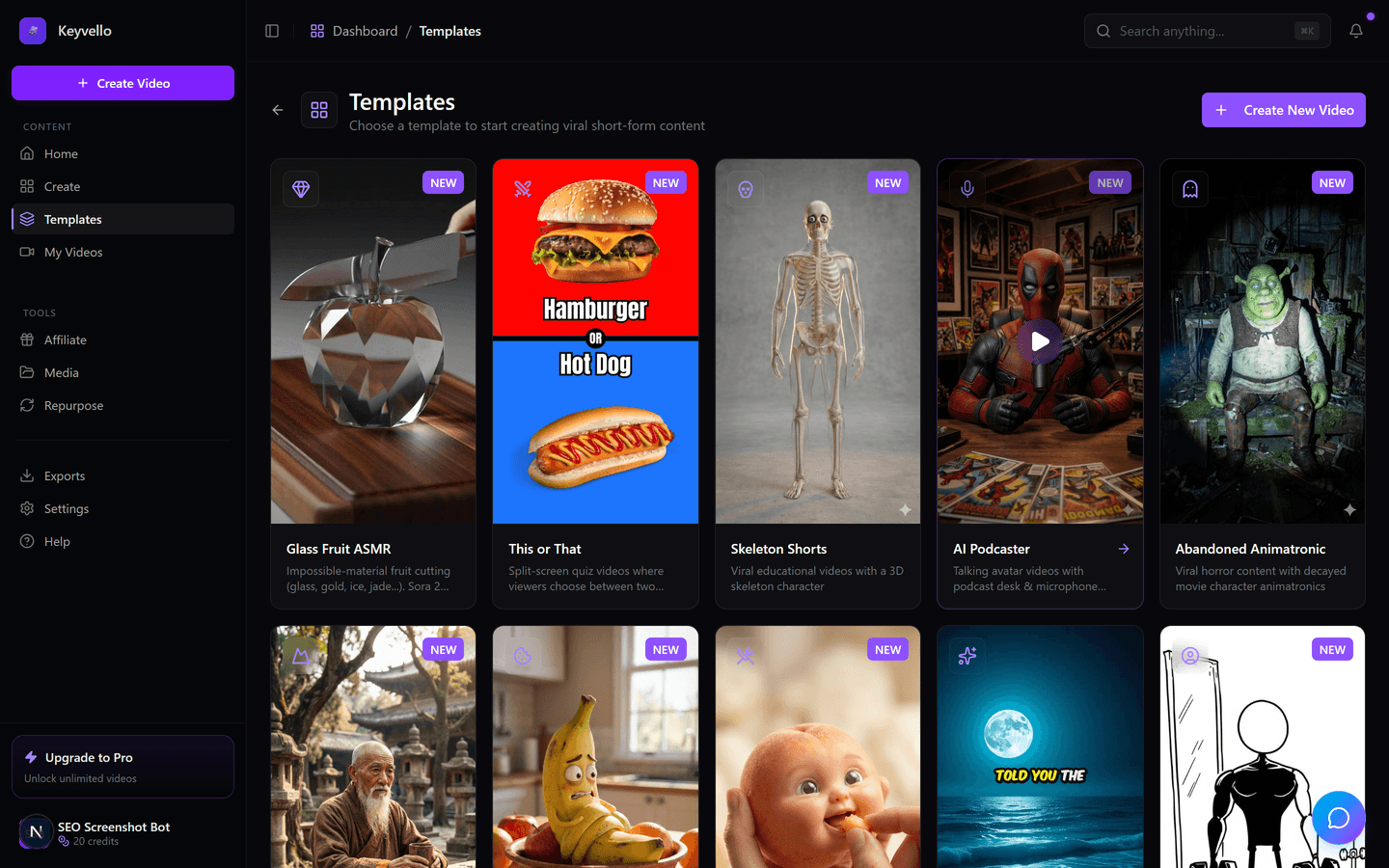
There are 11 templates aimed at faceless short-form — AI Stories, Fake Texts, Stick Animation, Kids Stories, Split Screen, Viral Wisdom and more. The template decides the visual style, pacing and caption look, so you skip art direction entirely.
3. Generate and watch it in the same tab
It renders in about 2 to 5 minutes on our infrastructure and plays back in the browser — 9:16, AI images, an ElevenLabs voiceover, and burned-in captions. Don't like a frame? Regenerate a single image for 1 credit or redo the voice for 3, instead of starting over.
A real Keyvello output, shown honestly
Here is an actual clip Keyvello produced. Treat it as an honest example of the AI output quality, not as your exact niche and not a hand-polished marketing render. Watch it on a phone with sound on — that is how your audience will see it.
Match the tool to the job you actually have
Skip the generic ranking. Find the row that sounds like you.
You shot footage and need to edit it
If you have clips on your phone or screen recordings and want to trim, caption and arrange them, you want a timeline editor, not a generator. Clipchamp is the standout here: its free tier exports 1080p with no watermark, which is rare. VEED is strong on subtitles and screen recording. Keyvello cannot help you here — it does not import your footage.
You have no footage and want a video from an idea
This is the generator lane, and it is the whole reason Keyvello exists. You bring a topic or a script; the tool produces the visuals, voice and captions. If your content is faceless short-form — story channels, fact compilations, Reddit-thread retellings — this is where Keyvello is built to win, with templates tuned for exactly that format rather than a blank canvas you have to fill.
You want a person on screen presenting
If you need a realistic talking-avatar presenter — training videos, product walkthroughs, localized enterprise content — dedicated avatar tools like Synthesia or HeyGen do that job better than a faceless-shorts generator. Keyvello has a Viral Wisdom avatar template, but a presenter-first platform will outclass it for corporate use.
You want cinematic generative shots and VFX
For film-style generated footage and motion VFX rather than narrated shorts, Runway leads the generative-clip space. Keyvello can do full AI video too, but it is priced for it (more below), so it shines on the image-plus-narration format, not 30 seconds of fully generated motion.
What a Keyvello video actually costs
Keyvello runs on credits, and the cost tracks length, captions and quality tier instead of a flat fee. Real data point: the average video our creators make runs about 36 seconds and costs roughly 15 credits. Base-quality pricing:
| Length | Base credits | + Captions |
|---|---|---|
| 30 seconds | 10 | 12 |
| 60 seconds | 18 | 20 |
| 90 seconds | 25 | 27 |
| 3 minutes | 40 | 42 |
| 5 minutes | 70 | 72 |
| 10 minutes | 120 | 122 |
Quality multipliers stack: base 1x, pro 1.5x, ultra 2.5x — so a 30-second clip is 10 credits at base and 25 at ultra. The honest caveat: full AI video (animated footage instead of AI images plus narration) is far pricier, roughly 60 credits for 30 seconds and 108 for 60. Your 20 free signup credits cover about two image-based 30-second shorts — enough to judge quality, not run a channel for free.
Online video creators, compared
These are the browser tools people weigh against each other. Facts were checked against public 2026 sources, linked per row. Where a tool's policy is ambiguous, the cell says "check site" rather than guessing. Prices are listed as stated by each source and may differ by billing period.
| Tool | Type | Free export watermark? | Free resolution | Cheapest paid | Wins at |
|---|---|---|---|---|---|
| Keyvello | AI generator | No watermark on any plan; free tier is preview-only (no download) | Full quality preview | $19/mo (Starter) | Faceless short-form from a prompt |
| Clipchamp | Timeline editor | No watermark on free | 1080p free | $12/mo premium (or in Microsoft 365) | Free clean editing of your own footage |
| Kapwing | Editor + AI clips | Yes, free exports watermarked | 720p free, 1-min cap | $16/mo billed annually | Quick browser edits and subtitling |
| VEED | Editor + AI tools | Yes, free exports watermarked | 720p free | ~$12-18/mo annual (check site) | Subtitles and screen recording |
| Runway | Generative clips/VFX | check site (limited free credits) | check site | check site | Cinematic generated shots and VFX |
The split is clear: the editors (Clipchamp, Kapwing, VEED) assume you already have footage, and most of them watermark free exports — Clipchamp being the notable exception with clean 1080p free (creatorstackclub.com). Keyvello sits in a different column entirely: it generates the footage for you, never watermarks anything, but gates the download behind a paid plan instead of handing you a branded free file.
When a different tool is the right call
Being straight about it: if you simply want to trim and caption clips you already have, and a free clean export matters more than anything, Clipchamp is the better pick — 1080p, no watermark, $0. If you live in subtitles or record your screen constantly, VEED is purpose-built for that. If you need a polished on-screen presenter for training or sales, Synthesia or HeyGen beat a faceless generator. If you want film-grade generative motion, go Runway. Keyvello is the right answer in one specific case: you have an idea but no footage, you make faceless narrative short-form for TikTok, Shorts or Reels, and you want it generated fast and in volume, watermark-free, with nothing to install.
This is real, recurring usage
Creators have generated more than 9,000 videos on Keyvello — over 2,400 of them in the last 30 days — across a community of 6,000+ creators. That is people shipping content from their browsers on a recurring basis, not a one-time demo reel.
Try it before you pick
The fastest way to know if a generator beats an editor for your workflow is to make one video. Create an account, get 20 credits with no card, generate a short on the template that fits your niche, and watch the full preview in the tab. If it earns it, the cheapest plan is $19/mo, which unlocks downloads — with no watermark on anything you export, on any plan.
Frequently Asked Questions
What is the difference between an online video editor and an AI video generator?
An editor like Clipchamp, Kapwing or VEED assumes you already have footage and gives you a timeline to trim, caption and arrange it. A generator like Keyvello starts from nothing but an idea — you type a prompt or paste a script, and it produces the visuals, voiceover and captions for you. If you have clips, you want an editor. If you have an idea but no footage, you want a generator.
Which online video creator has no watermark on the free plan?
Among editors, Clipchamp is the standout: its free tier exports 1080p with no watermark (per creatorstackclub.com, 2026). Kapwing and VEED watermark free exports. Keyvello never watermarks any plan, but its free tier is preview-only — you can generate and watch full-quality videos for free, and downloading requires a paid plan.
Is Keyvello free to use?
It is free to start, not a timed trial. New accounts get 20 credits with no credit card, which you spend generating and fully previewing real videos in the browser. The one paid step is downloading the finished MP4 file, which needs a plan starting at $19/mo. There is no watermark on any plan.
How much does an AI-generated video cost on Keyvello?
It runs on credits scaled by length, captions and quality. A 30-second base-quality video is 10 credits (12 with captions), 60 seconds is 18, and 90 seconds is 25. Quality multipliers stack on top: base 1x, pro 1.5x, ultra 2.5x. Full AI video (animated rather than AI images plus narration) is far pricier, around 60 credits for 30 seconds.
Can I edit my own footage in Keyvello?
No. Keyvello is a generator, not a timeline editor — it creates faceless short-form videos from a prompt or script rather than importing clips you shot. If you need to edit existing footage, a browser editor like Clipchamp or VEED is the right tool for that job.
How long does Keyvello take to make a video?
Usually 2 to 5 minutes from prompt to finished preview, depending on length and quality tier. Because the rendering runs on our servers rather than your machine, you can start a job and close the tab; it keeps going and is ready when you come back.
Start Creating Best Video Creator Online – Keyvello AI Video Generator Videos
AI-generated best video creator online – keyvello ai video generator videos in minutes. Try it free.
Get Started Free